Pytest中skip和skipif的具體使用方法
使用示例:@pytest.mark.skip(reason='跳過(guò)的原因,會(huì)在執(zhí)行結(jié)果中打印')
標(biāo)記在測(cè)試函數(shù)中舉個(gè)🌰
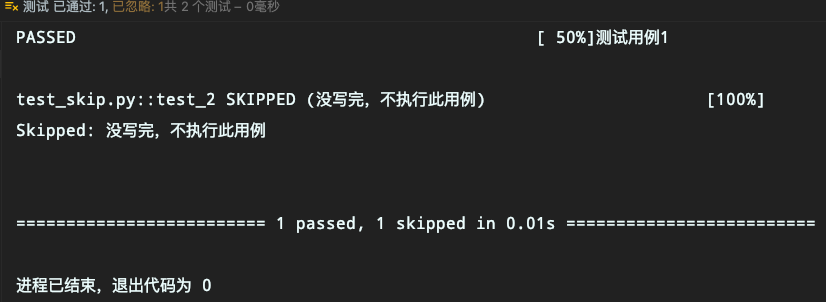
import pytestdef test_1(): print('測(cè)試用例1')@pytest.mark.skip(reason='沒(méi)寫完,不執(zhí)行此用例')def test_2(): print('測(cè)試用例2')
執(zhí)行結(jié)果如下:
舉個(gè)🌰
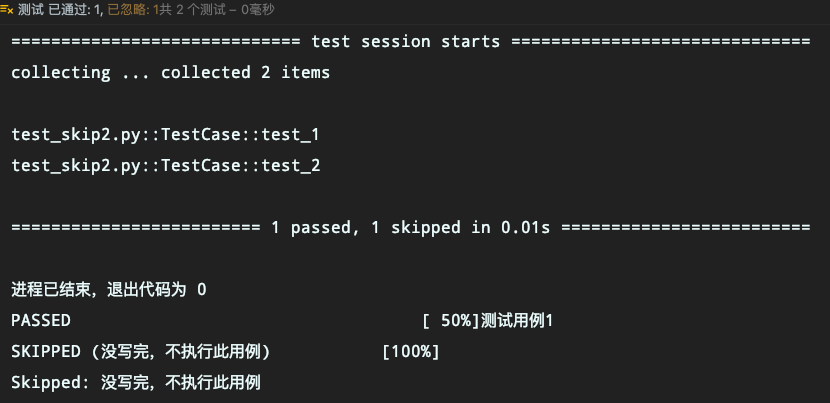
import pytestclass TestCase(object): def test_1(self):print('測(cè)試用例1') @pytest.mark.skip(reason='沒(méi)寫完,不執(zhí)行此用例') def test_2(self):print('測(cè)試用例2')
執(zhí)行結(jié)果如下
舉個(gè)🌰
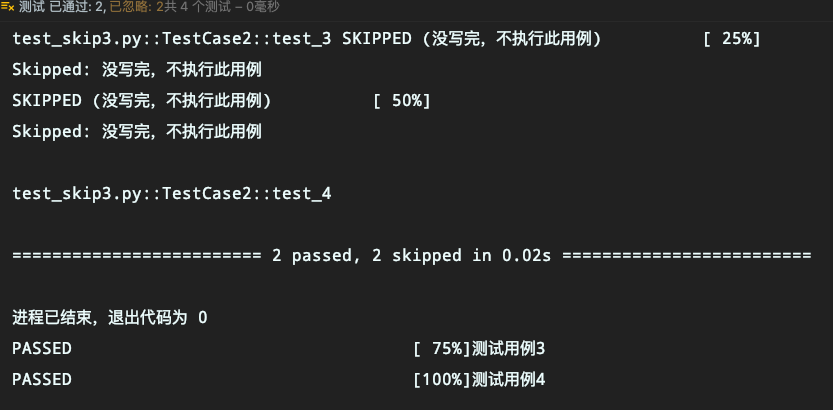
import pytest@pytest.mark.skip(reason='沒(méi)寫完,不執(zhí)行此用例')class TestCase1(object): def test_1(self):print('測(cè)試用例1') def test_2(self):print('測(cè)試用例2')class TestCase2(object): def test_3(self):print('測(cè)試用例3') def test_4(self):print('測(cè)試用例4')
執(zhí)行結(jié)果如下
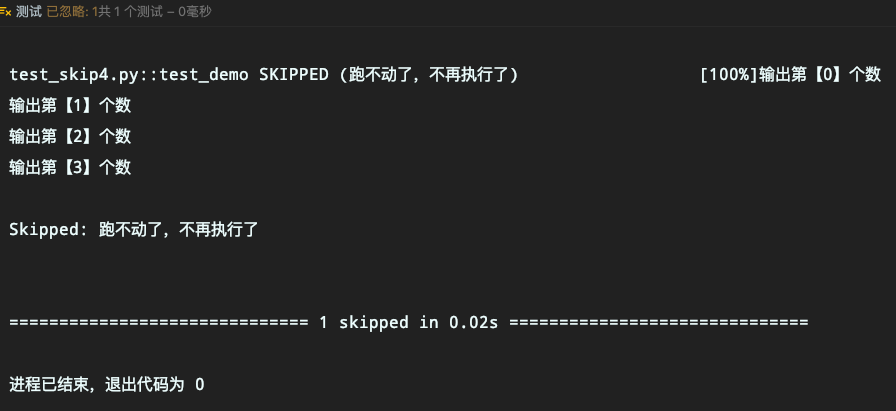
以一個(gè)for循環(huán)為例,執(zhí)行到第3次的時(shí)候跳出
import pytestdef test_demo(): for i in range(50):print(f'輸出第【{i}】個(gè)數(shù)')if i == 3: pytest.skip('跑不動(dòng)了,不再執(zhí)行了')
執(zhí)行結(jié)果如下
語(yǔ)法:pytest.skip(msg='',allow_module_level=False)
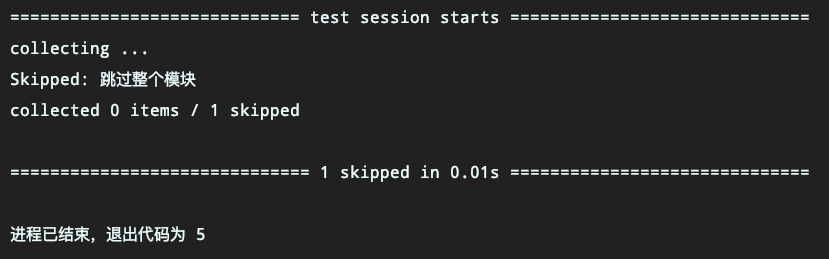
當(dāng)allow_module_level=True時(shí),可以設(shè)置在模塊級(jí)別跳過(guò)整個(gè)模塊
import pytestpytest.skip('跳過(guò)整個(gè)模塊', allow_module_level=True)@pytest.fixture(autouse=True)def test_1(): print('執(zhí)行測(cè)試用例1')def test_2(): print('執(zhí)行測(cè)試用例2')
執(zhí)行結(jié)果如下
語(yǔ)法:@pytest.mark.skipif(condition, reason='')
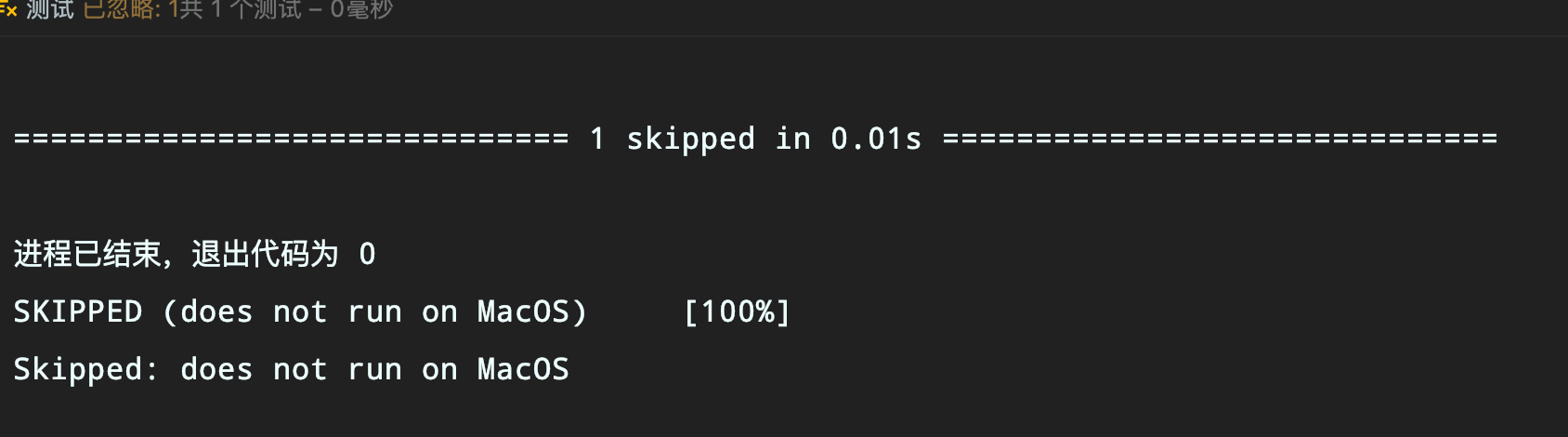
import sysimport pytest@pytest.mark.skipif(sys.platform == ’darwin’, reason='does not run on MacOS')class TestSkipIf(object): def test_demo(self):print('不能在MacOS上運(yùn)行')
注意:condition需要返回True才會(huì)跳過(guò)
執(zhí)行結(jié)果如下:
舉個(gè)🌰
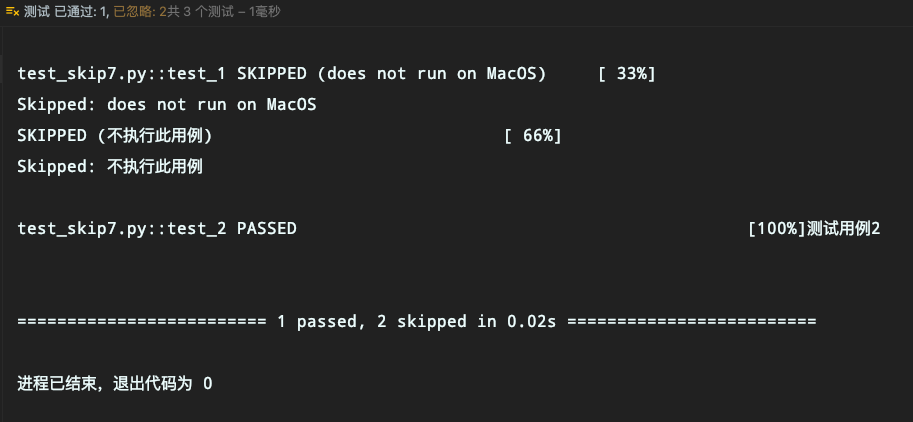
import sysimport pytestskipmark = pytest.mark.skip(reason='不執(zhí)行此用例')skipifmark = pytest.mark.skipif(sys.platform == ’darwin’, reason='does not run on MacOS')@skipifmarkclass TestSkipIf(object): def test_demo(self):print('不能在MacOS上運(yùn)行')@skipmarkdef test_1(): print('測(cè)試用例1')def test_2(): print('測(cè)試用例2')
執(zhí)行結(jié)果如下
語(yǔ)法:
pytest.importorskip( modname: str, minversion: Optional[str] = None, reason: Optional[str] = None )
參數(shù):
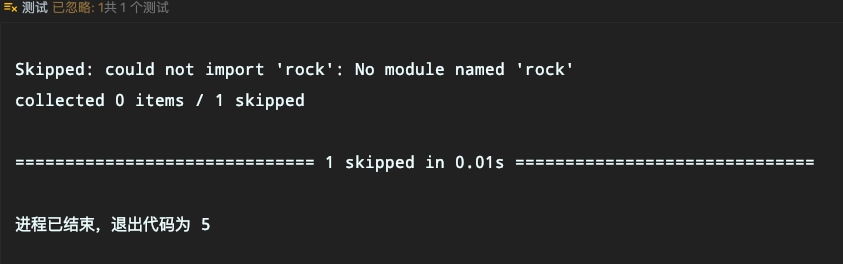
modname: 需要被導(dǎo)入的模塊名稱,比如 selenium; minversion: 表示需要導(dǎo)入的最小的版本號(hào),如果該版本不達(dá)標(biāo),將會(huì)打印出報(bào)錯(cuò)信息; reason: 只有當(dāng)模塊沒(méi)有被導(dǎo)入時(shí),給定該參數(shù)將會(huì)顯示出給定的消息內(nèi)容找不到對(duì)應(yīng)module舉個(gè)🌰
import pytestrock = pytest.importorskip('rock')@rockdef test_1(): print('測(cè)試是否導(dǎo)入了rock模塊')
運(yùn)行結(jié)果
舉個(gè)🌰
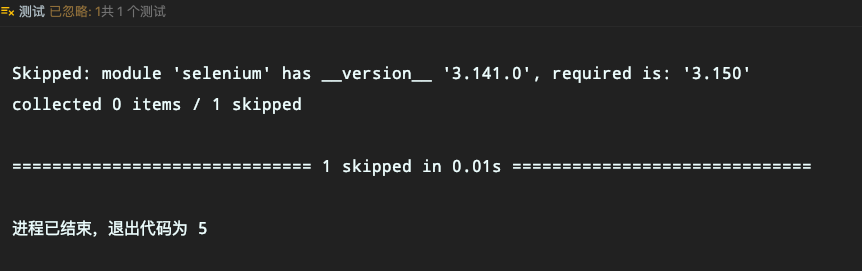
import pytestsel = pytest.importorskip('selenium', minversion='3.150')@seldef test_1(): print('測(cè)試是否導(dǎo)入了selenium模塊')
運(yùn)行結(jié)果
整理參考
小菠蘿的測(cè)試筆記
到此這篇關(guān)于Pytest中skip和skipif的具體使用方法的文章就介紹到這了,更多相關(guān)skip和skipif的使用內(nèi)容請(qǐng)搜索好吧啦網(wǎng)以前的文章或繼續(xù)瀏覽下面的相關(guān)文章希望大家以后多多支持好吧啦網(wǎng)!
相關(guān)文章:
1. IntelliJ IDEA安裝插件的方法步驟2. idea導(dǎo)入maven項(xiàng)目的方法3. Docker 部署 Prometheus的安裝詳細(xì)教程4. IntelliJ IDEA設(shè)置自動(dòng)提示功能快捷鍵的方法5. 通過(guò)Django Admin+HttpRunner1.5.6實(shí)現(xiàn)簡(jiǎn)易接口測(cè)試平臺(tái)6. idea重置默認(rèn)配置的方法步驟7. IntelliJ IDEA調(diào)整字體大小的方法8. idea設(shè)置代碼格式化的方法步驟9. idea給項(xiàng)目打war包的方法步驟10. IntelliJ IDEA設(shè)置背景圖片的方法步驟
 網(wǎng)公網(wǎng)安備