django之從html頁(yè)面表單獲取輸入的數(shù)據(jù)實(shí)例
本文主要講解如何獲取用戶(hù)在html頁(yè)面中輸入的信息。
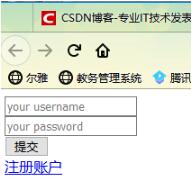
1.首先寫(xiě)一個(gè)自定義的html網(wǎng)頁(yè)
login.html
<!DOCTYPE html><html lang='en'><head> <meta charset='UTF-8'> <title>test</title></head><body> <form method='post' action='{% url ’check’ %}'> <input type='text' name='name' placeholder='your username'><br> <input type='password' name='pwd' placeholder='your password'><br> <input type='submit' value='提交'><br> </form></body></html>
form表單里的action{%url ‘check’%} 對(duì)應(yīng)的是urls.py里的name值
2.配置urls.py文件
urlpatterns = [ path(’reg/’,views.reg,name=’check’), path(’’,views.login),]
3.配置views.py文件
def login(request): return render(request,’login.html’)def reg(request): if request.method == ’POST’: name=request.POST.get(’name’) pwd=request.POST.get(’pwd’) print(name,pwd) return render(request,’login.html’)
4.開(kāi)啟服務(wù),進(jìn)入主頁(yè)localhost:8000 ,輸入用戶(hù)名密碼,點(diǎn)擊提交
這時(shí)會(huì)報(bào)403錯(cuò)誤
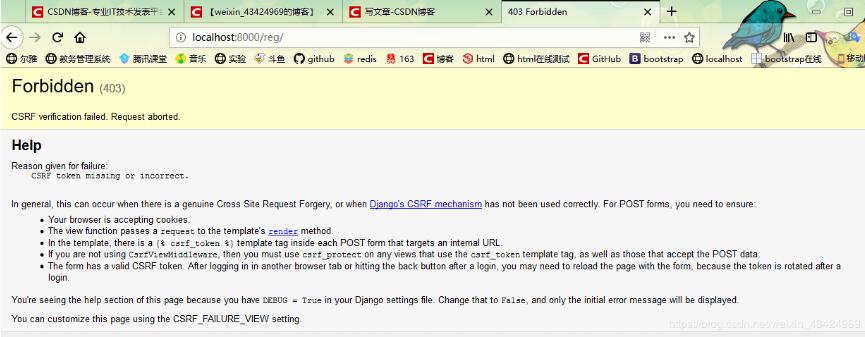
需要在login.html文件的form表單中加入下面一行代碼
{%csrf_token%} <form method='post' action='{% url ’check’ %}'> {% csrf_token %} <input type='text' name='name' placeholder='your username'><br> <input type='password' name='pwd' placeholder='your password'><br> <input type='submit' value='提交'><br> </form>
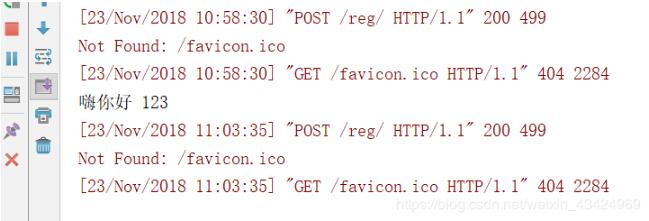
重啟服務(wù),再次輸入用戶(hù)名密碼
就可以得到在頁(yè)面輸入的信息了
以上這篇django之從html頁(yè)面表單獲取輸入的數(shù)據(jù)實(shí)例就是小編分享給大家的全部?jī)?nèi)容了,希望能給大家一個(gè)參考,也希望大家多多支持好吧啦網(wǎng)。
相關(guān)文章:
1. IntelliJ IDEA導(dǎo)入項(xiàng)目的方法2. Python ini文件常用操作方法解析3. IntelliJ IDEA導(dǎo)入jar包的方法4. Spring boot2+jpa+thymeleaf實(shí)現(xiàn)增刪改查5. idea刪除項(xiàng)目的操作方法6. Spring Cloud Alibaba整合Sentinel的實(shí)現(xiàn)步驟7. 基于Java實(shí)現(xiàn)記事本功能8. IntelliJ IDEA配置Tomcat服務(wù)器的方法9. docker鏡像完全卸載的操作步驟10. uniapp解決軟鍵盤(pán)彈出問(wèn)題方法詳解

 網(wǎng)公網(wǎng)安備