文章詳情頁
如何使用IDEA創(chuàng)建MAPPER模板過程圖解
瀏覽:212日期:2024-08-29 11:14:55
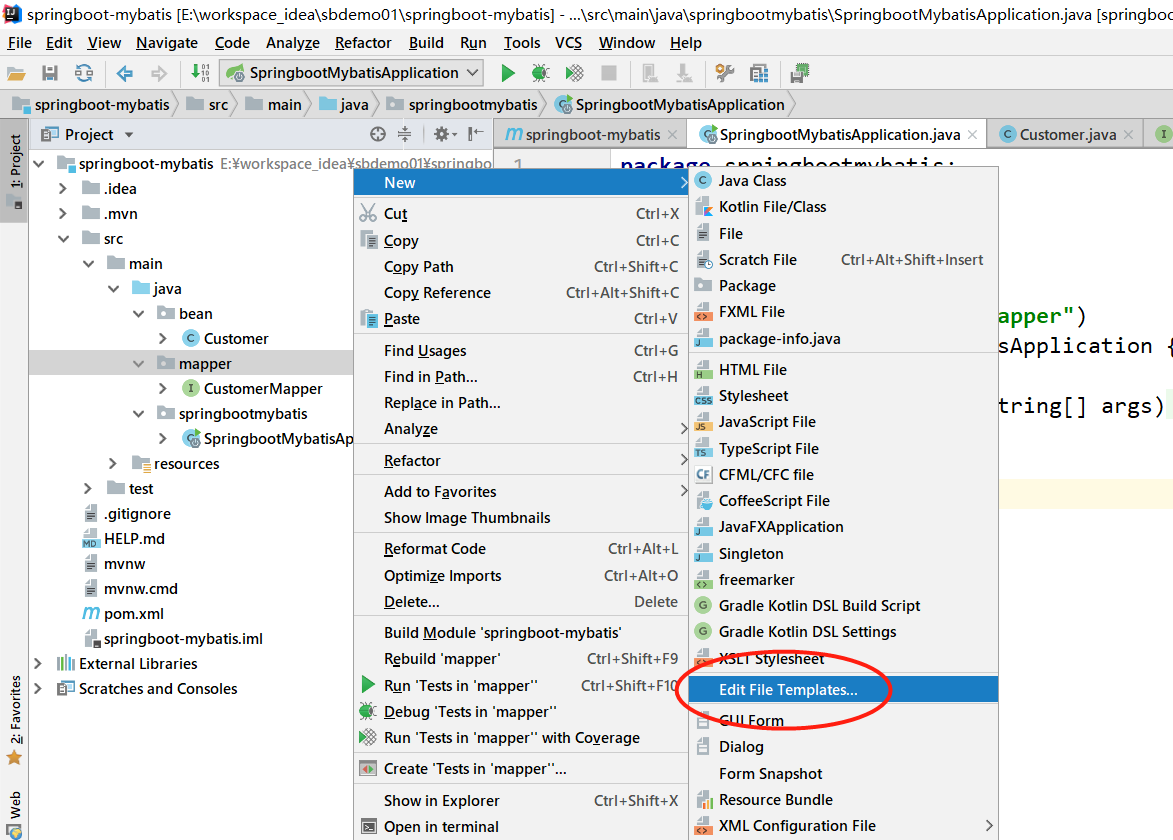
Mybatis 是一款優(yōu)秀的 ORM 框架,但是在 IDEA 工具使用時并未自帶 MAPPER 文件模板,需要手工添加,接下來就一起在 IDEA 中創(chuàng)建一個 MAPPER 文件模板吧;1、打開 IDEA ,右鍵 new-->Edit File Template
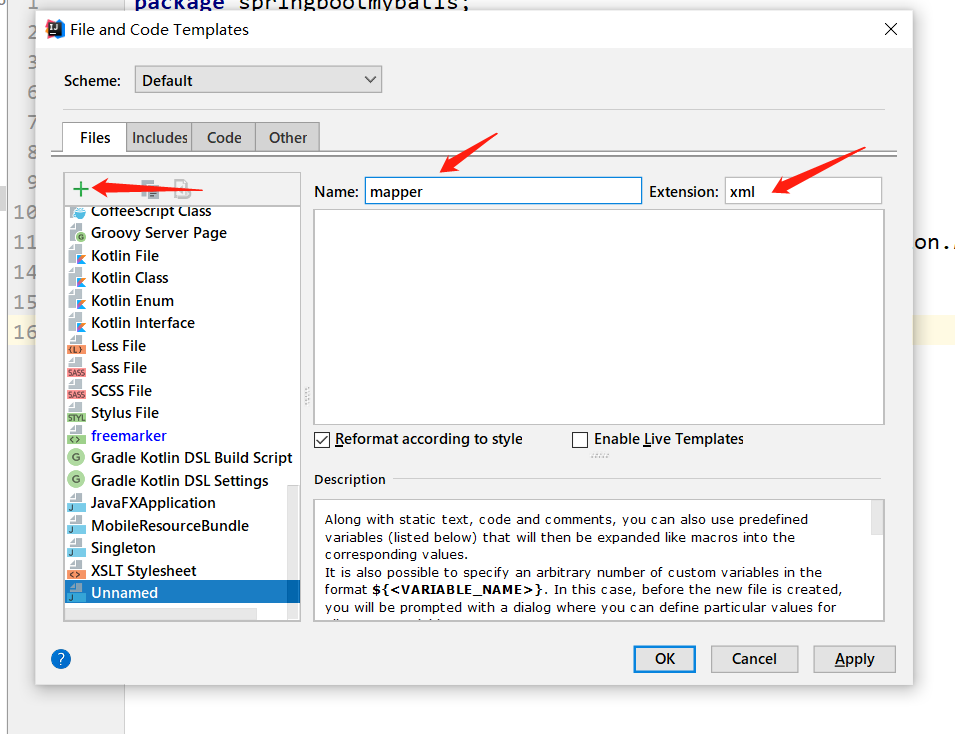
2、點(diǎn)擊 + ,輸入此模板名稱
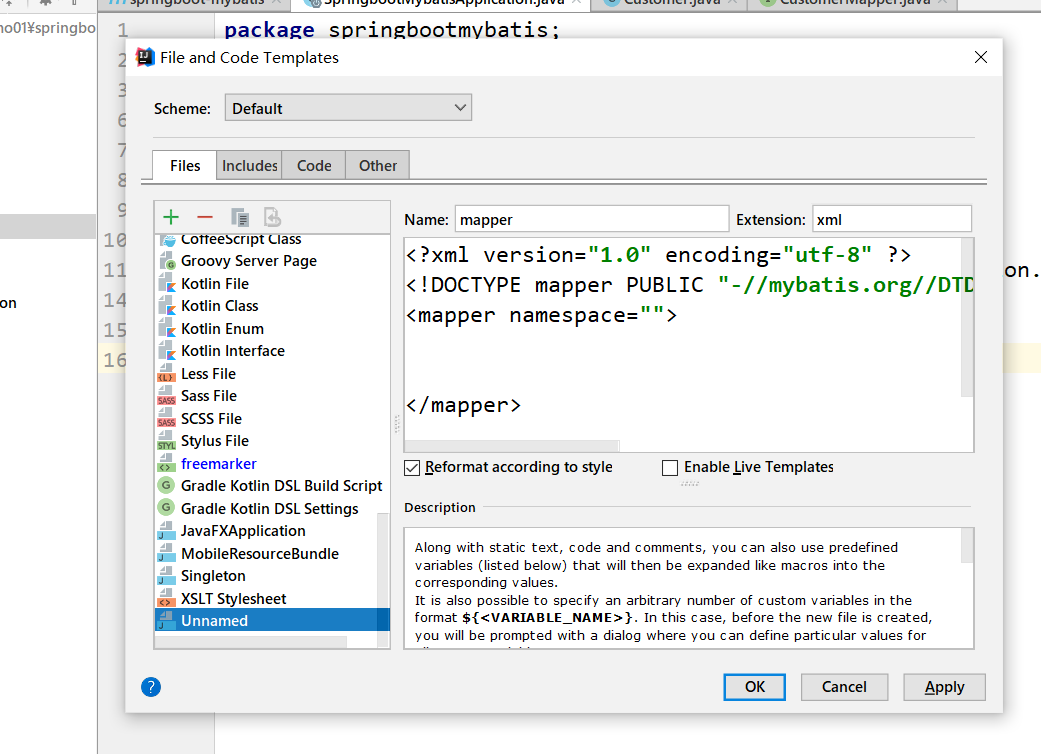
3、黏貼 MAPPER 模板內(nèi)容:
<?xml version='1.0' encoding='utf-8' ?><!DOCTYPE mapper PUBLIC '-//mybatis.org//DTD Mapper 3.0//EN' 'http://mybatis.org/dtd/mybatis-3-mapper.dtd' ><mapper namespace=''></mapper>
4、點(diǎn)擊 OK
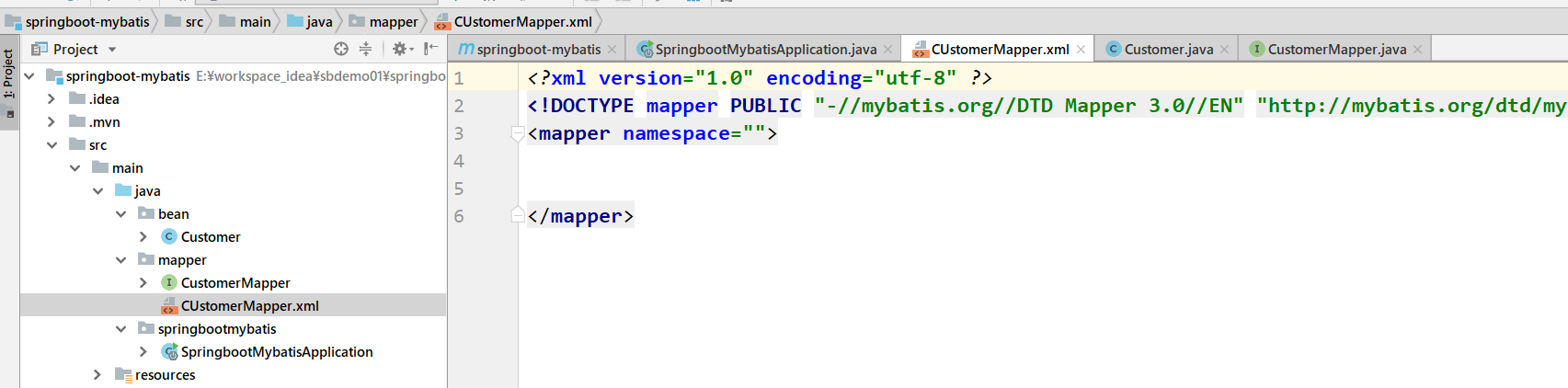
5、新建 MAPPER 進(jìn)行測試 OK
以上就是本文的全部內(nèi)容,希望對大家的學(xué)習(xí)有所幫助,也希望大家多多支持好吧啦網(wǎng)。
標(biāo)簽:
IDEA
相關(guān)文章:
排行榜
 網(wǎng)公網(wǎng)安備