Android Studio連接MySql實現(xiàn)登錄注冊(附源代碼)
本文主要介紹了Android Studio連接MySql實現(xiàn)登錄注冊,分享給大家,具體如下:
1、創(chuàng)建一個空白工程
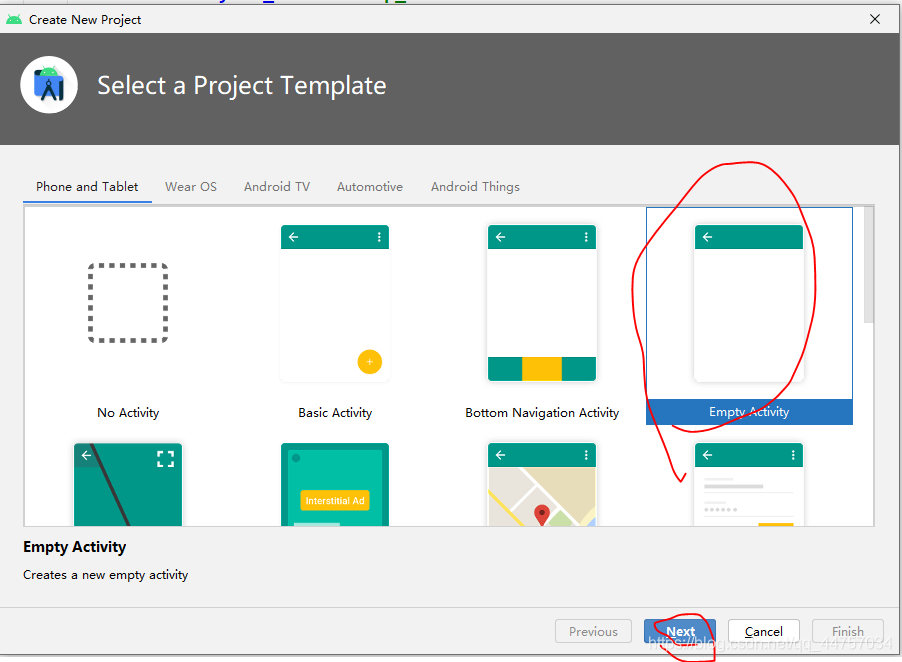
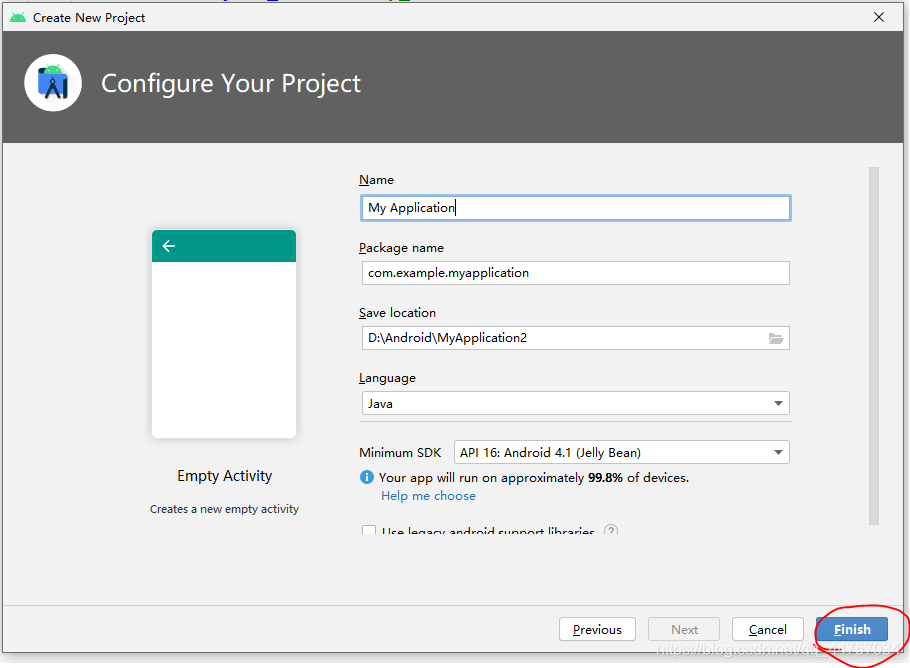
2、隨便起一個名稱
3、設(shè)置網(wǎng)絡(luò)連接權(quán)限
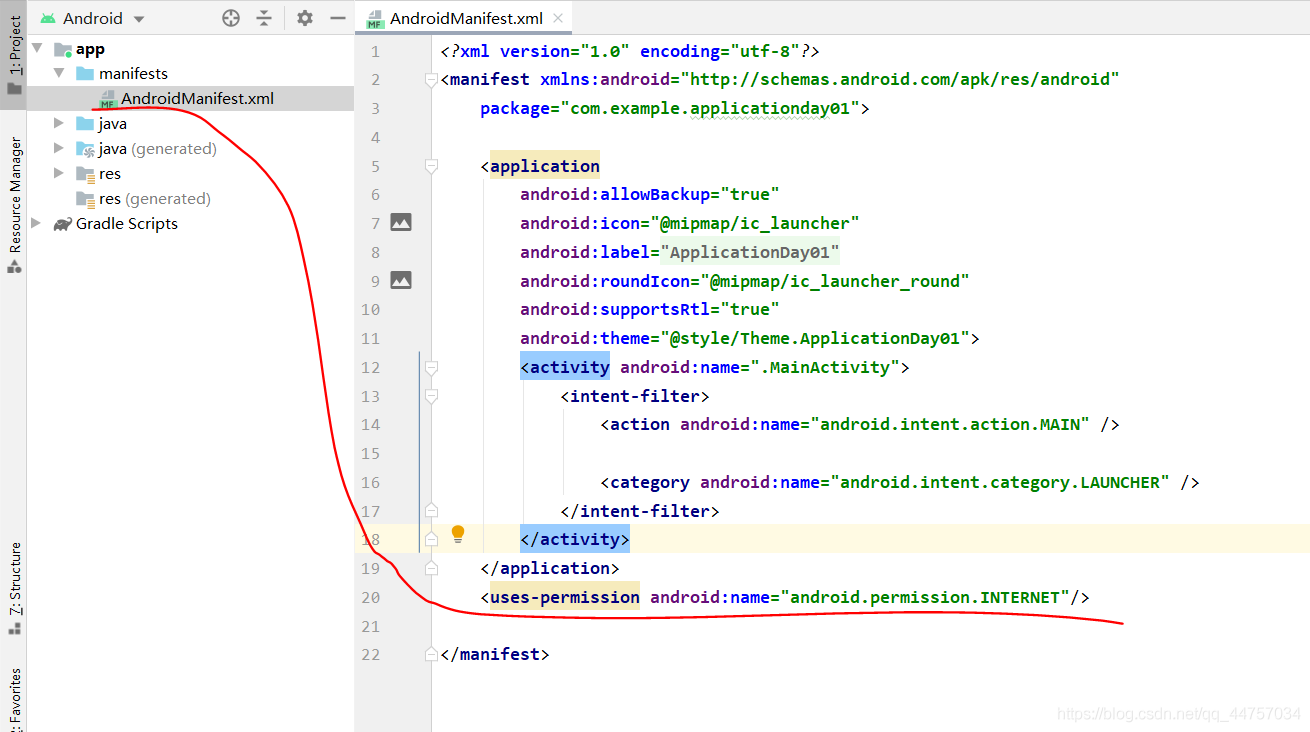
<uses-permission android:name='android.permission.INTERNET'/>二、引入Mysql驅(qū)動包
1、切換到普通Java工程
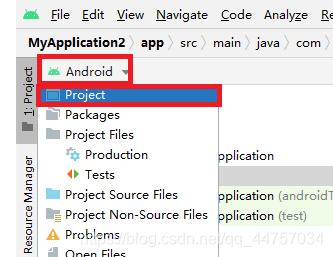
2、在libs當中引入MySQL的jar包
將mysql的驅(qū)動包復制到libs當中
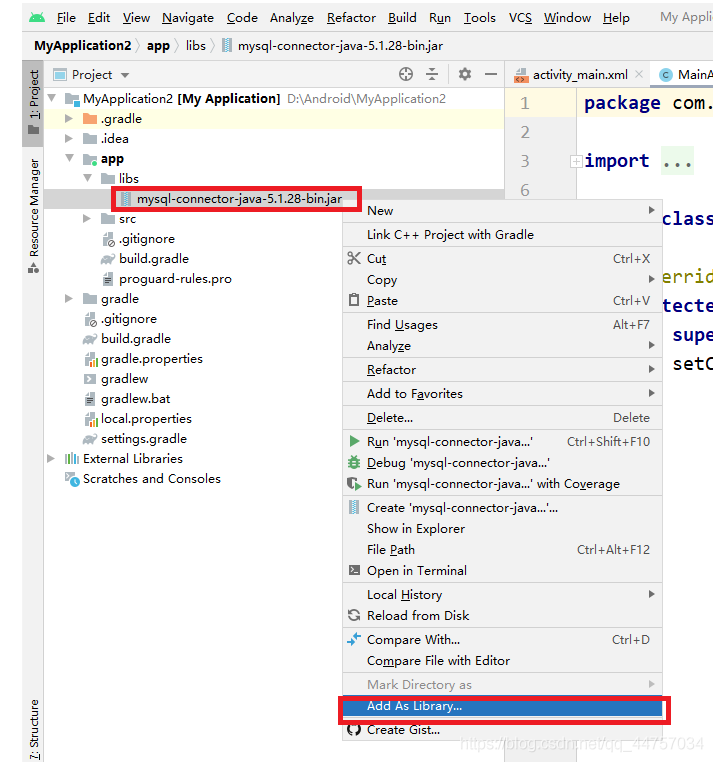
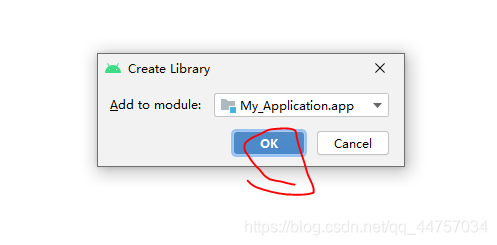
1、在數(shù)據(jù)庫當中創(chuàng)建表
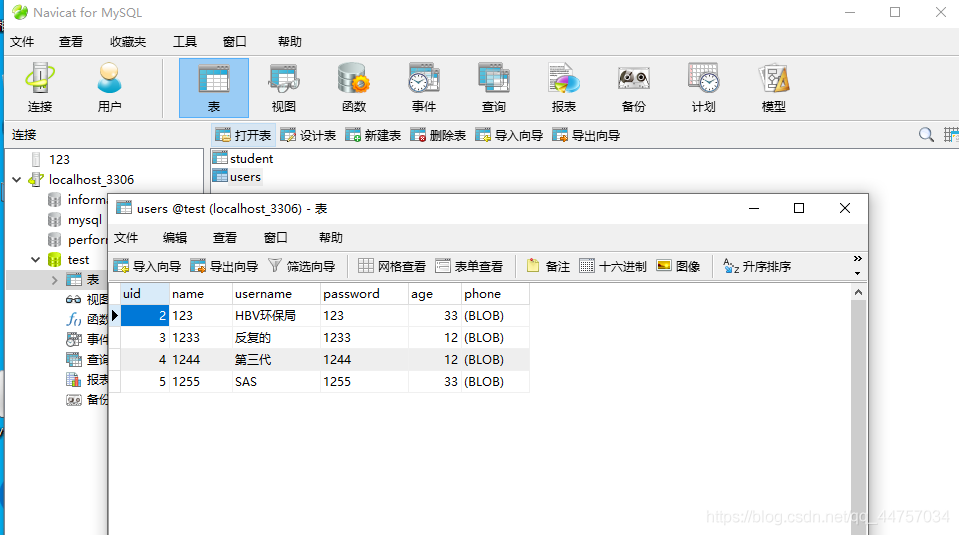
SQL語句
/*Navicat MySQL Data TransferSource Server : localhost_3306Source Server Version : 50562Source Host : localhost:3306Source Database : testTarget Server Type : MYSQLTarget Server Version : 50562File Encoding : 65001Date: 2021-05-10 17:28:36*/SET FOREIGN_KEY_CHECKS=0;-- ------------------------------ Table structure for `student`-- ----------------------------DROP TABLE IF EXISTS `student`;CREATE TABLE `student` ( `sid` int(11) NOT NULL AUTO_INCREMENT, `sname` varchar(255) NOT NULL, `sage` int(11) NOT NULL, `address` varchar(255) NOT NULL, PRIMARY KEY (`sid`)) ENGINE=InnoDB AUTO_INCREMENT=3 DEFAULT CHARSET=utf8;-- ------------------------------ Records of student-- ----------------------------INSERT INTO `student` VALUES (’1’, ’andi’, ’21’, ’21212’);INSERT INTO `student` VALUES (’2’, ’a’, ’2121’, ’2121’);-- ------------------------------ Table structure for `users`-- ----------------------------DROP TABLE IF EXISTS `users`;CREATE TABLE `users` ( `uid` int(11) NOT NULL AUTO_INCREMENT, `name` varchar(255) NOT NULL, `username` varchar(255) NOT NULL, `password` varchar(255) NOT NULL, `age` int(255) NOT NULL, `phone` longblob NOT NULL, PRIMARY KEY (`uid`)) ENGINE=InnoDB AUTO_INCREMENT=6 DEFAULT CHARSET=utf8;-- ------------------------------ Records of users-- ----------------------------INSERT INTO `users` VALUES (’2’, ’123’, ’HBV環(huán)保局’, ’123’, ’33’, 0x3133333333333333333333);INSERT INTO `users` VALUES (’3’, ’1233’, ’反復的’, ’1233’, ’12’, 0x3132333333333333333333);INSERT INTO `users` VALUES (’4’, ’1244’, ’第三代’, ’1244’, ’12’, 0x3133333333333333333333);INSERT INTO `users` VALUES (’5’, ’1255’, ’SAS’, ’1255’, ’33’, 0x3133333333333333333333);
2、在Android Studio當中創(chuàng)建JDBCUtils類
切換會Android視圖
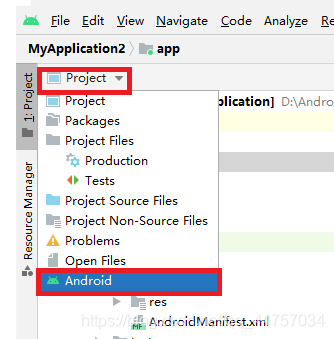
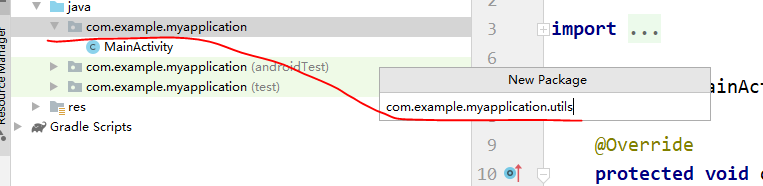
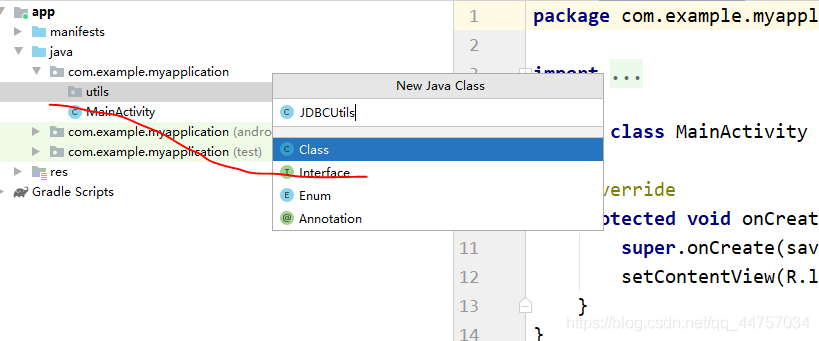
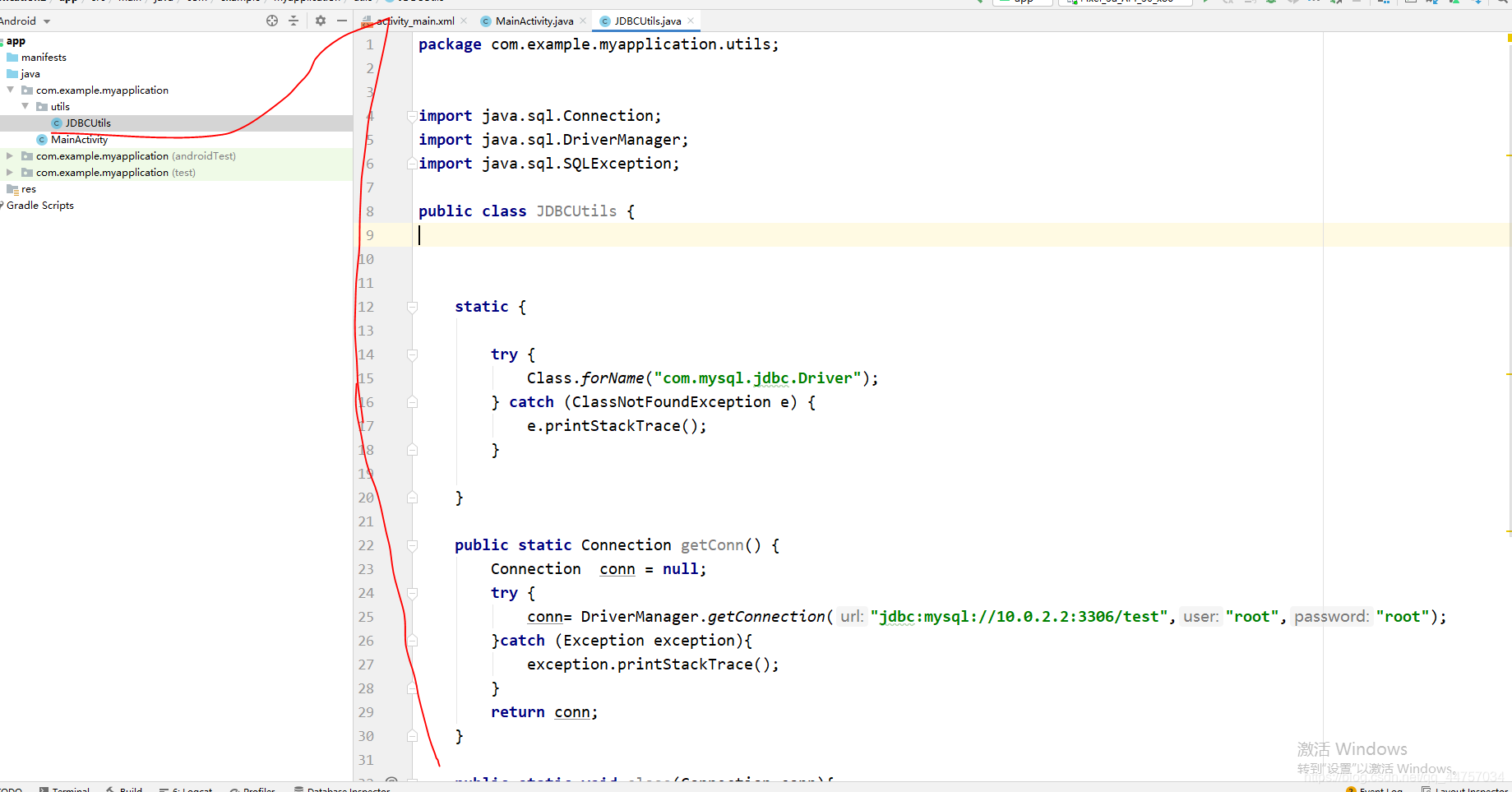
注意鏈接數(shù)據(jù)庫的地址是:jdbc:mysql://10.0.2.2:3306/test
package com.example.myapplication.utils;import java.sql.Connection;import java.sql.DriverManager;import java.sql.SQLException;public class JDBCUtils { static {try { Class.forName('com.mysql.jdbc.Driver');} catch (ClassNotFoundException e) { e.printStackTrace();} } public static Connection getConn() {Connection conn = null;try { conn= DriverManager.getConnection('jdbc:mysql://10.0.2.2:3306/test','root','root');}catch (Exception exception){ exception.printStackTrace();}return conn; } public static void close(Connection conn){try { conn.close();} catch (SQLException throwables) { throwables.printStackTrace();} }}
3、創(chuàng)建User實體類
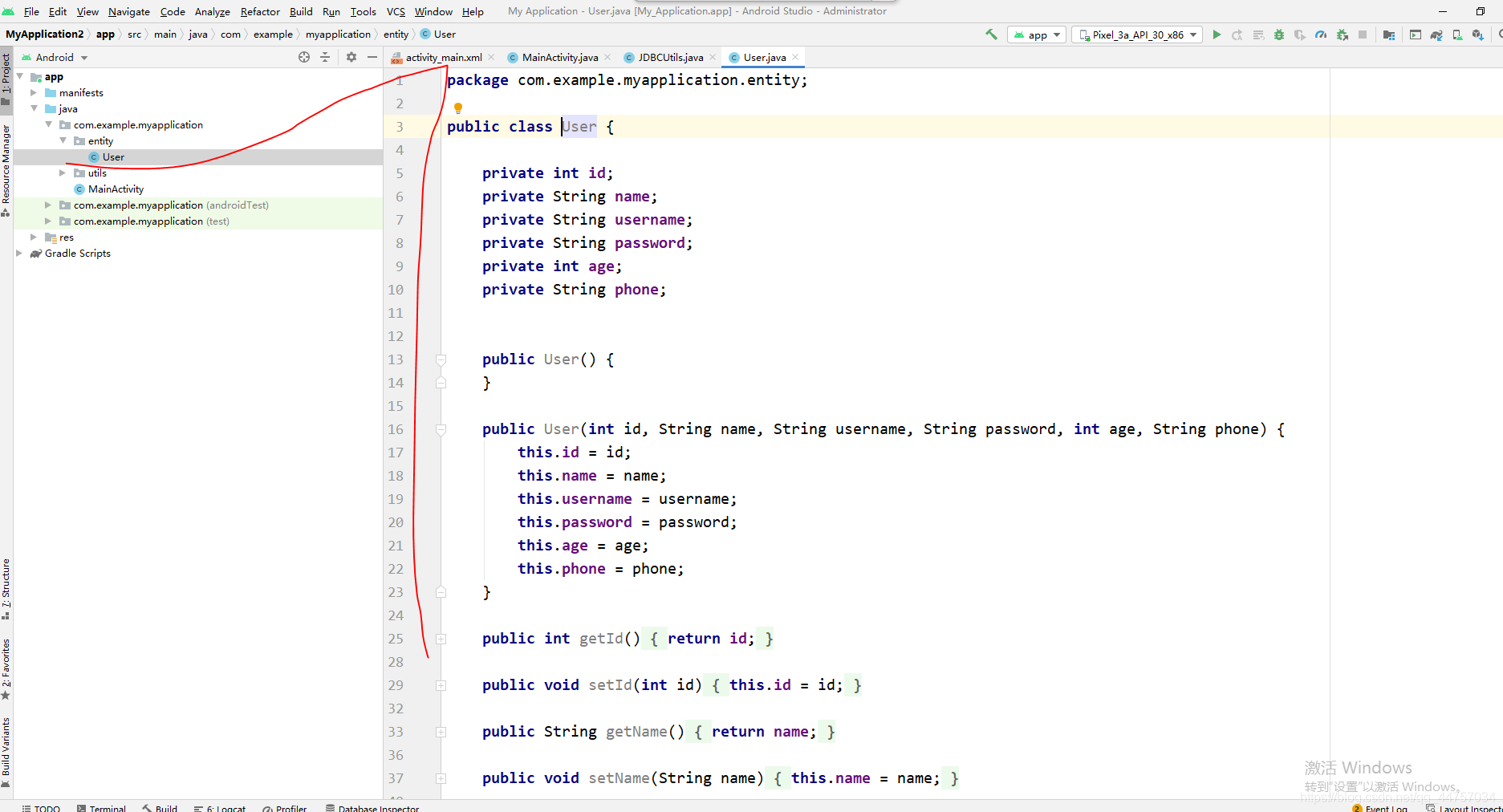
package com.example.myapplication.entity;public class User { private int id; private String name; private String username; private String password; private int age; private String phone; public User() { } public User(int id, String name, String username, String password, int age, String phone) {this.id = id;this.name = name;this.username = username;this.password = password;this.age = age;this.phone = phone; } public int getId() {return id; } public void setId(int id) {this.id = id; } public String getName() {return name; } public void setName(String name) {this.name = name; } public String getUsername() {return username; } public void setUsername(String username) {this.username = username; } public String getPassword() {return password; } public void setPassword(String password) {this.password = password; } public int getAge() {return age; } public void setAge(int age) {this.age = age; } public String getPhone() {return phone; } public void setPhone(String phone) {this.phone = phone; }}
4、創(chuàng)建dao層和UserDao
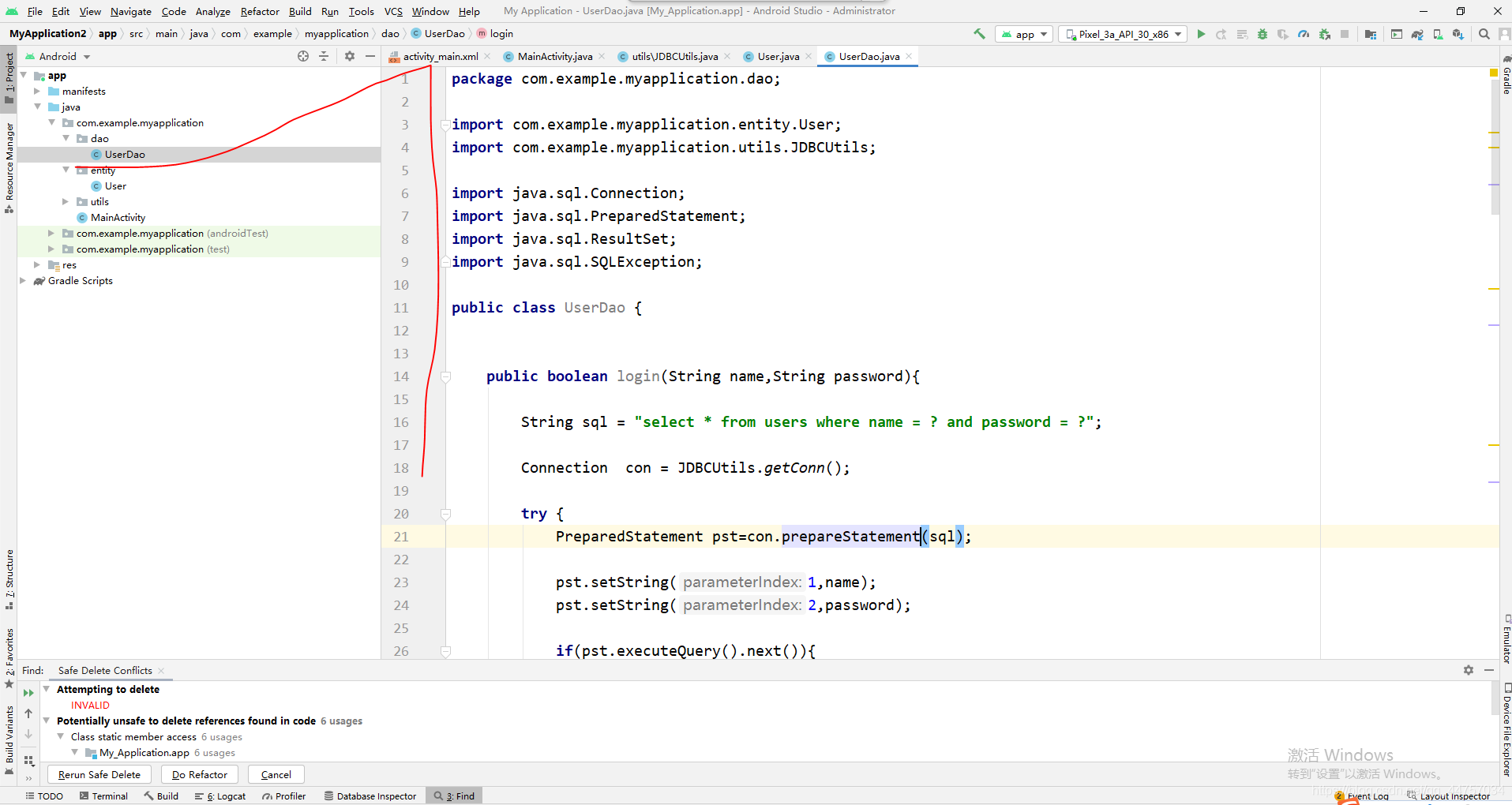
package com.example.myapplication.dao;import com.example.myapplication.entity.User;import com.example.myapplication.utils.JDBCUtils;import java.sql.Connection;import java.sql.PreparedStatement;import java.sql.ResultSet;import java.sql.SQLException;public class UserDao { public boolean login(String name,String password){String sql = 'select * from users where name = ? and password = ?';Connection con = JDBCUtils.getConn();try { PreparedStatement pst=con.prepareStatement(sql); pst.setString(1,name); pst.setString(2,password); if(pst.executeQuery().next()){return true; }} catch (SQLException throwables) { throwables.printStackTrace();}finally { JDBCUtils.close(con);}return false; } public boolean register(User user){String sql = 'insert into users(name,username,password,age,phone) values (?,?,?,?,?)';Connection con = JDBCUtils.getConn();try { PreparedStatement pst=con.prepareStatement(sql); pst.setString(1,user.getName()); pst.setString(2,user.getUsername()); pst.setString(3,user.getPassword()); pst.setInt(4,user.getAge()); pst.setString(5,user.getPhone()); int value = pst.executeUpdate(); if(value>0){return true; }} catch (SQLException throwables) { throwables.printStackTrace();}finally { JDBCUtils.close(con);}return false; } public User findUser(String name){String sql = 'select * from users where name = ?';Connection con = JDBCUtils.getConn();User user = null;try { PreparedStatement pst=con.prepareStatement(sql); pst.setString(1,name); ResultSet rs = pst.executeQuery(); while (rs.next()){ int id = rs.getInt(0); String namedb = rs.getString(1); String username = rs.getString(2); String passworddb = rs.getString(3); int age = rs.getInt(4);String phone = rs.getString(5); user = new User(id,namedb,username,passworddb,age,phone); }} catch (SQLException throwables) { throwables.printStackTrace();}finally { JDBCUtils.close(con);}return user; }}四、編寫頁面和Activity相關(guān)代碼
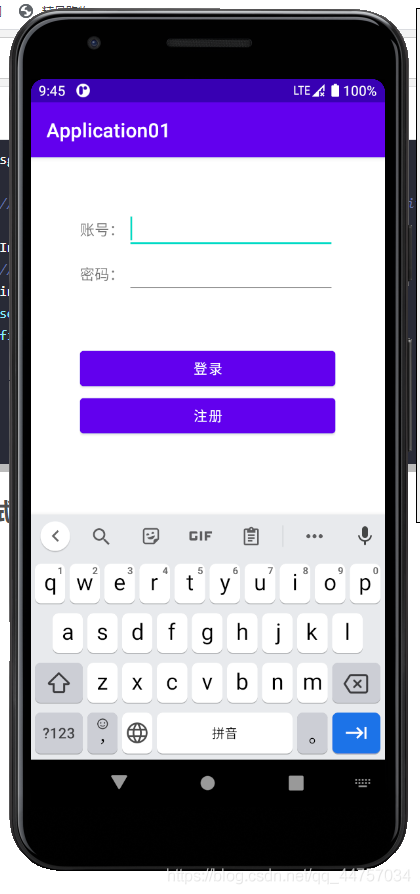
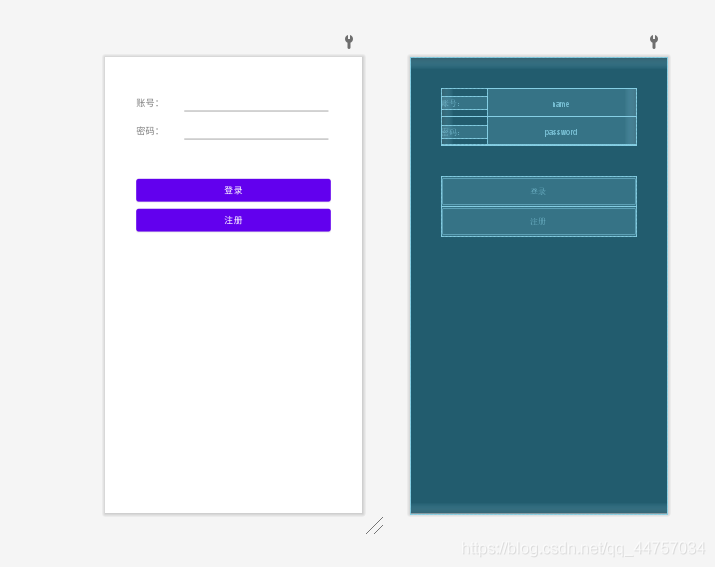
1、編寫登錄頁面
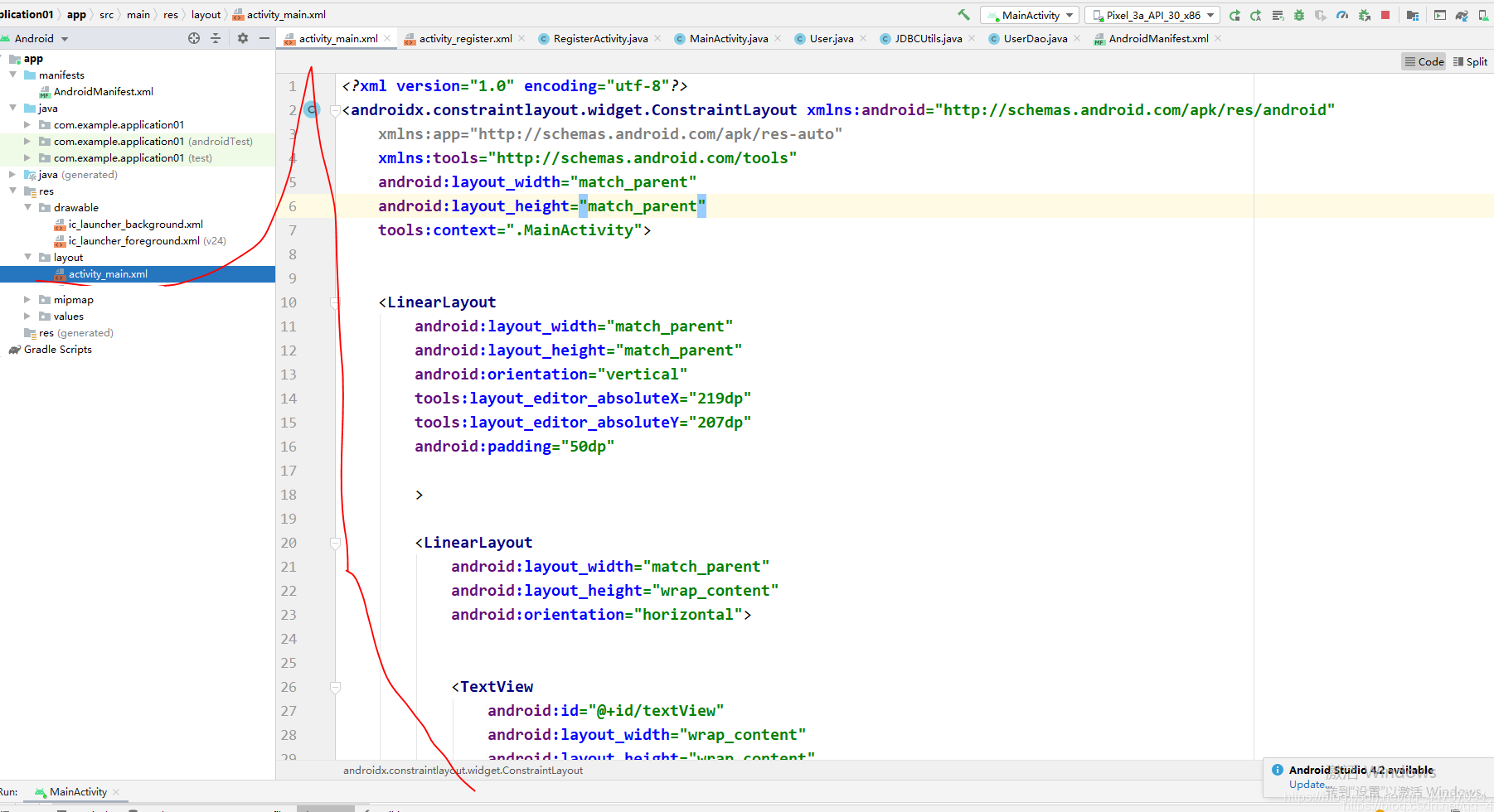
<?xml version='1.0' encoding='utf-8'?><androidx.constraintlayout.widget.ConstraintLayout xmlns:android='http://schemas.android.com/apk/res/android' xmlns:app='http://schemas.android.com/apk/res-auto' xmlns:tools='http://schemas.android.com/tools' android:layout_width='match_parent' android:layout_height='match_parent' tools:context='.MainActivity'> <LinearLayoutandroid:layout_width='match_parent'android:layout_height='match_parent'android:orientation='vertical'tools:layout_editor_absoluteX='219dp'tools:layout_editor_absoluteY='207dp'android:padding='50dp'><LinearLayout android:layout_width='match_parent' android:layout_height='wrap_content' android:orientation='horizontal'> <TextViewandroid: android:layout_width='wrap_content'android:layout_height='wrap_content'android:layout_weight='1'android:textSize='15sp'android:text='賬號:' /> <EditTextandroid: android:layout_width='wrap_content'android:layout_height='wrap_content'android:layout_weight='1'android:ems='10'android:inputType='textPersonName'android:text='' /></LinearLayout><LinearLayout android:layout_width='match_parent' android:layout_height='wrap_content' android:orientation='horizontal'> <TextViewandroid: android:layout_width='wrap_content'android:layout_height='wrap_content'android:layout_weight='1'android:textSize='15sp'android:text='密碼:'/> <EditTextandroid: android:layout_width='wrap_content'android:layout_height='wrap_content'android:layout_weight='1'android:ems='10'android:inputType='textPersonName' /></LinearLayout><LinearLayout android:layout_width='match_parent' android:layout_height='wrap_content' android:orientation='horizontal'></LinearLayout><Button android:layout_marginTop='50dp' android: android:layout_width='match_parent' android:layout_height='wrap_content' android:text='登錄' android:onClick='login' /><Button android: android:layout_width='match_parent' android:layout_height='wrap_content' android:onClick='reg' android:text='注冊' /> </LinearLayout></androidx.constraintlayout.widget.ConstraintLayout>
效果
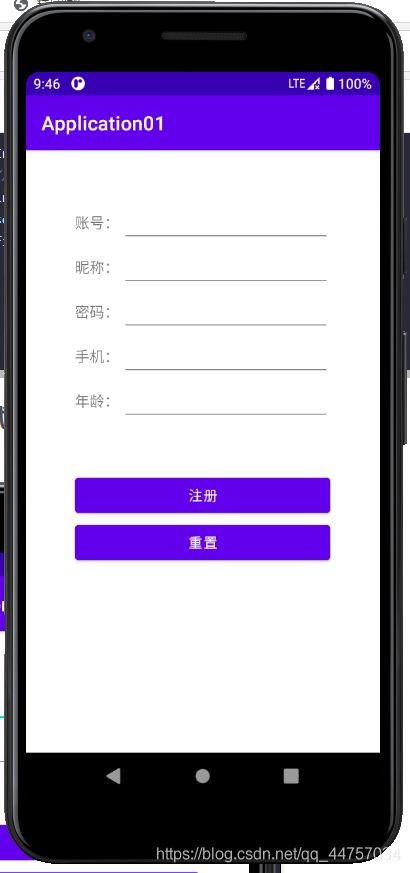
2、編寫注冊頁面代碼
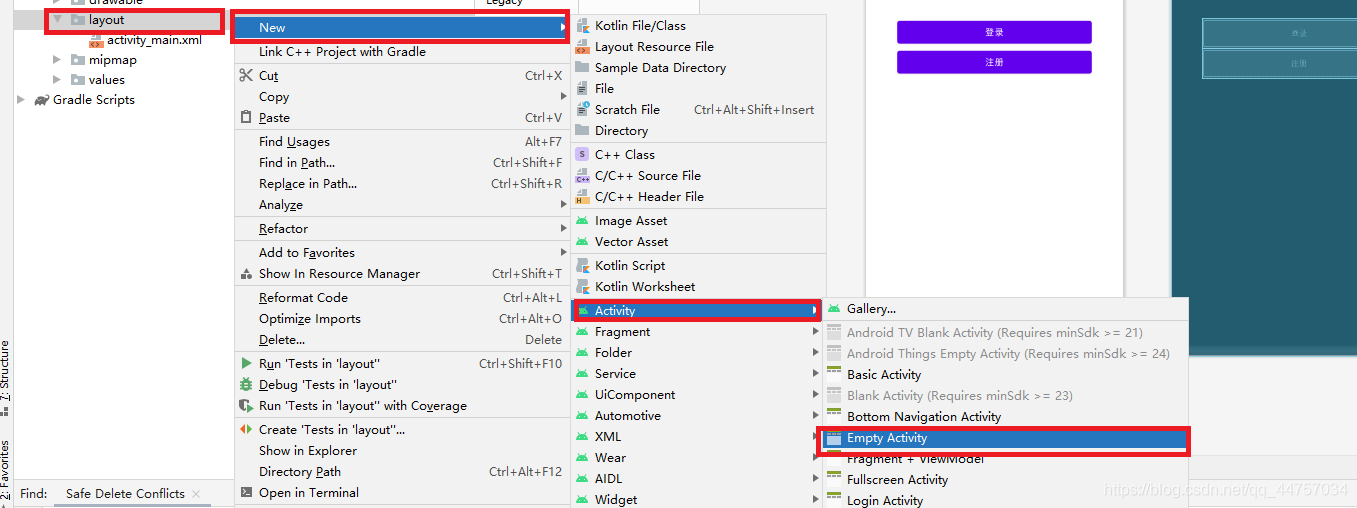
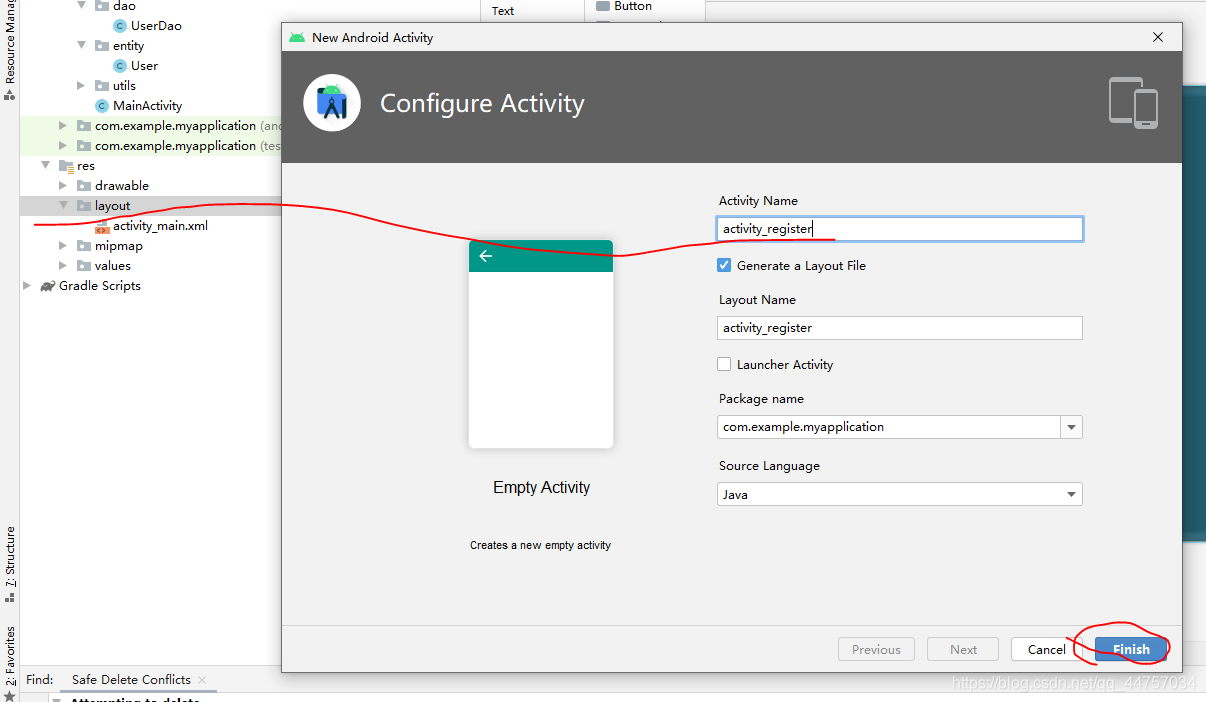
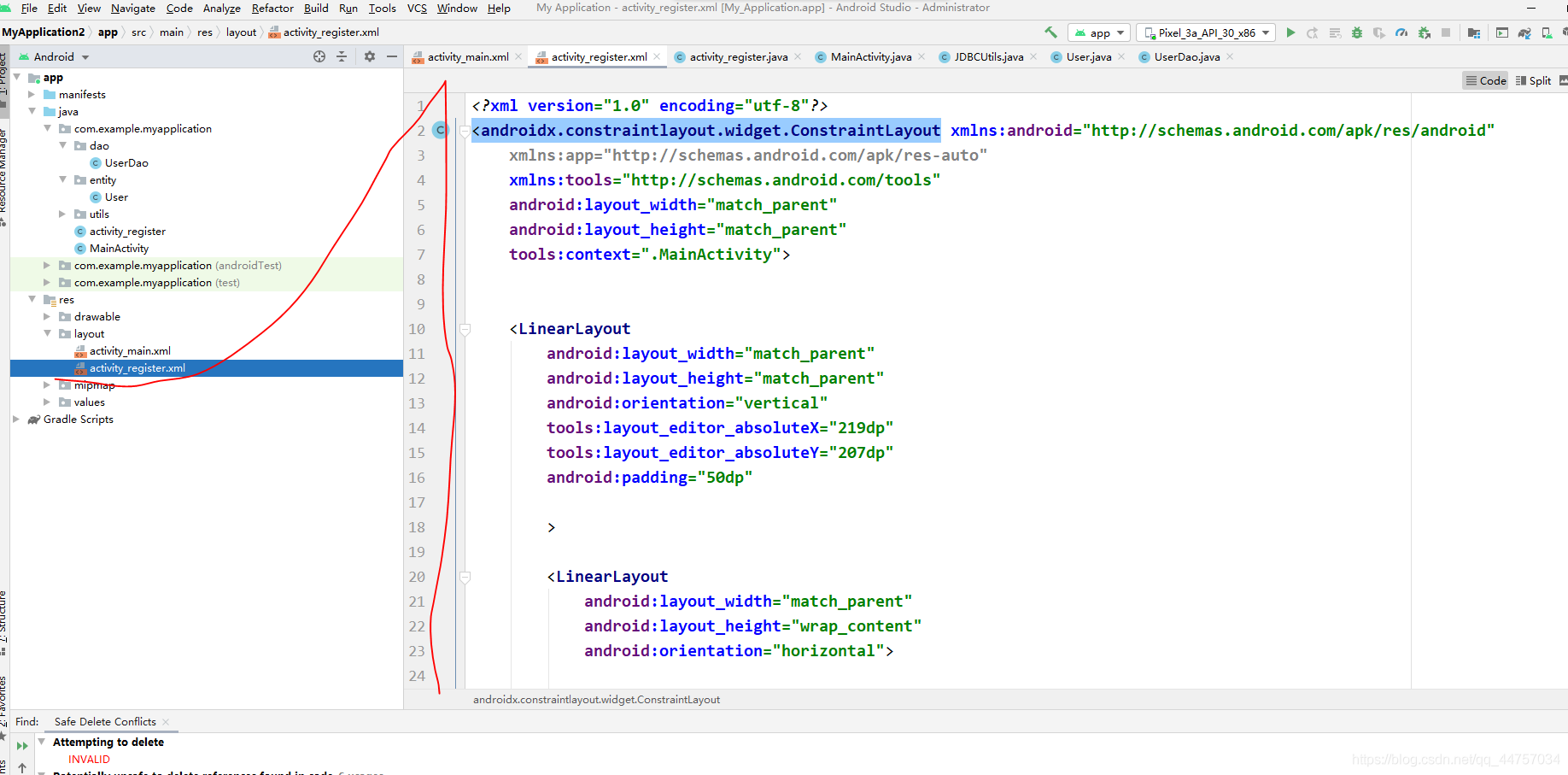
<?xml version='1.0' encoding='utf-8'?><androidx.constraintlayout.widget.ConstraintLayout xmlns:android='http://schemas.android.com/apk/res/android' xmlns:app='http://schemas.android.com/apk/res-auto' xmlns:tools='http://schemas.android.com/tools' android:layout_width='match_parent' android:layout_height='match_parent' tools:context='.MainActivity'> <LinearLayoutandroid:layout_width='match_parent'android:layout_height='match_parent'android:orientation='vertical'tools:layout_editor_absoluteX='219dp'tools:layout_editor_absoluteY='207dp'android:padding='50dp'><LinearLayout android:layout_width='match_parent' android:layout_height='wrap_content' android:orientation='horizontal'> <TextViewandroid: android:layout_width='wrap_content'android:layout_height='wrap_content'android:layout_weight='1'android:textSize='15sp'android:text='賬號:' /> <EditTextandroid: android:layout_width='wrap_content'android:layout_height='wrap_content'android:layout_weight='1'android:ems='10'android:inputType='textPersonName'android:text='' /></LinearLayout><LinearLayout android:layout_width='match_parent' android:layout_height='wrap_content' android:orientation='horizontal'> <TextViewandroid: android:layout_width='wrap_content'android:layout_height='wrap_content'android:layout_weight='1'android:textSize='15sp'android:text='密碼:'/> <EditTextandroid: android:layout_width='wrap_content'android:layout_height='wrap_content'android:layout_weight='1'android:ems='10'android:inputType='textPersonName'/></LinearLayout><LinearLayout android:layout_width='match_parent' android:layout_height='wrap_content' android:orientation='horizontal'></LinearLayout><Button android:layout_marginTop='50dp' android: android:layout_width='match_parent' android:layout_height='wrap_content' android:text='登錄' android:onClick='login' /><Button android: android:layout_width='match_parent' android:layout_height='wrap_content' android:onClick='reg' android:text='注冊' /> </LinearLayout></androidx.constraintlayout.widget.ConstraintLayout>
3、完善MainActivity
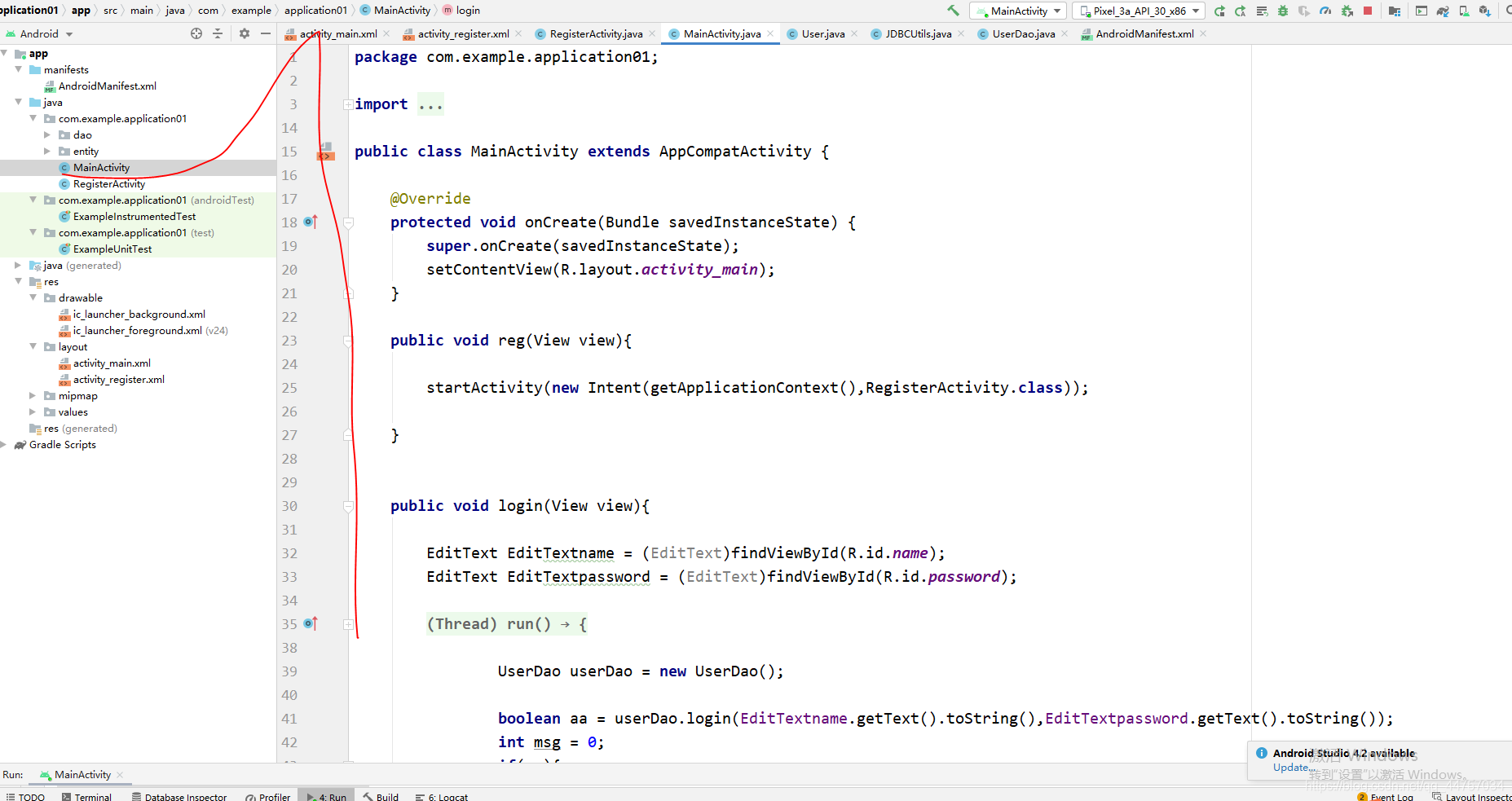
package com.example.application01;import androidx.appcompat.app.AppCompatActivity;import android.content.Intent;import android.os.Bundle;import android.os.Handler;import android.os.Message;import android.view.View;import android.widget.EditText;import android.widget.Toast;import com.example.application01.dao.UserDao;public class MainActivity extends AppCompatActivity { @Override protected void onCreate(Bundle savedInstanceState) {super.onCreate(savedInstanceState);setContentView(R.layout.activity_main); } public void reg(View view){startActivity(new Intent(getApplicationContext(),RegisterActivity.class)); } public void login(View view){EditText EditTextname = (EditText)findViewById(R.id.name);EditText EditTextpassword = (EditText)findViewById(R.id.password);new Thread(){ @Override public void run() {UserDao userDao = new UserDao();boolean aa = userDao.login(EditTextname.getText().toString(),EditTextpassword.getText().toString());int msg = 0;if(aa){ msg = 1;}hand1.sendEmptyMessage(msg); }}.start(); } final Handler hand1 = new Handler() {@Overridepublic void handleMessage(Message msg) { if(msg.what == 1) {Toast.makeText(getApplicationContext(),'登錄成功',Toast.LENGTH_LONG).show(); } else {Toast.makeText(getApplicationContext(),'登錄失敗',Toast.LENGTH_LONG).show(); }} };}
4、完善RegisterActivity
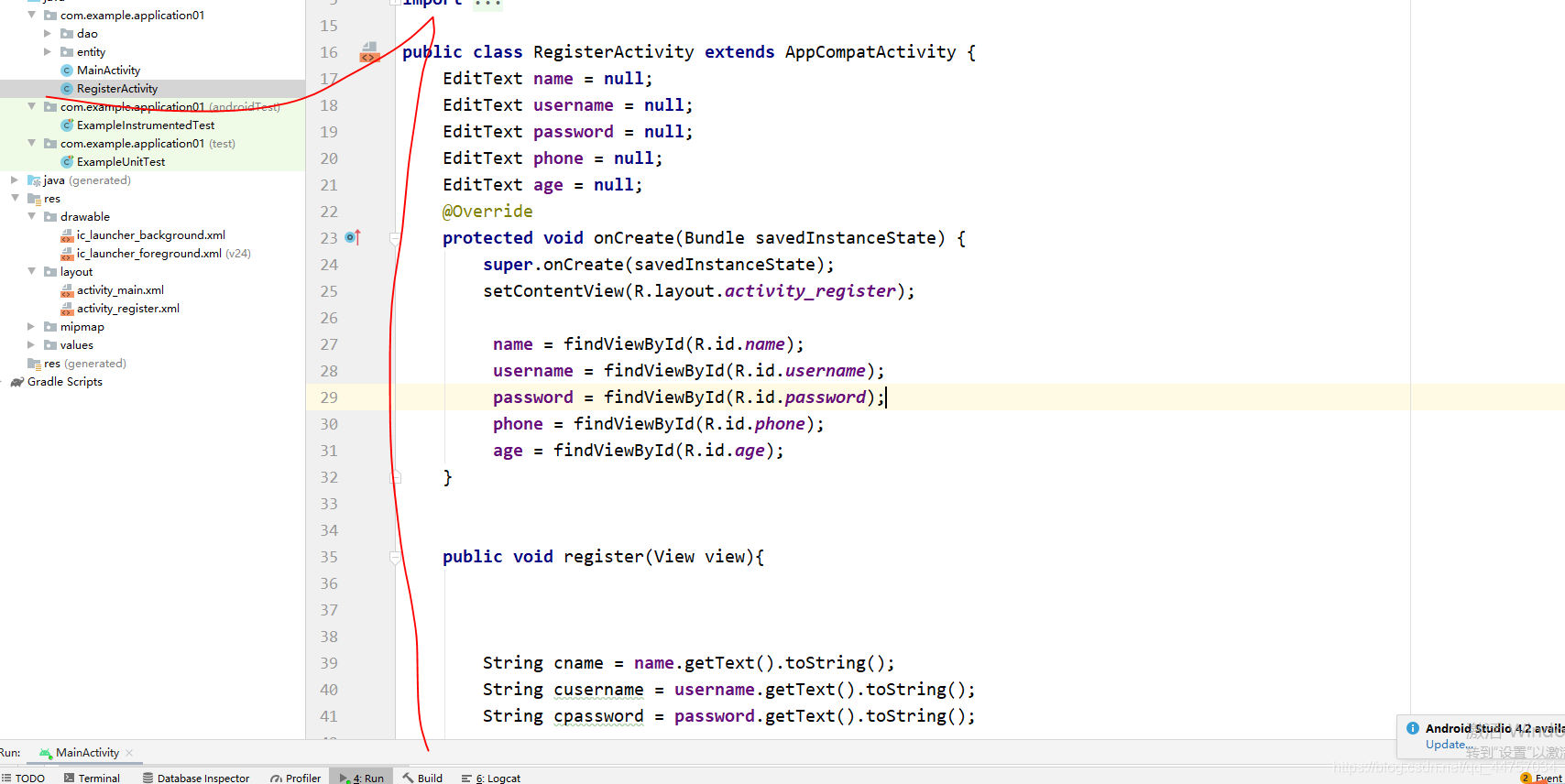
package com.example.application01;import androidx.appcompat.app.AppCompatActivity;import android.content.Intent;import android.os.Bundle;import android.os.Handler;import android.os.Message;import android.view.View;import android.widget.EditText;import android.widget.Toast;import com.example.application01.dao.UserDao;import com.example.application01.entity.User;public class RegisterActivity extends AppCompatActivity { EditText name = null; EditText username = null; EditText password = null; EditText phone = null; EditText age = null; @Override protected void onCreate(Bundle savedInstanceState) {super.onCreate(savedInstanceState);setContentView(R.layout.activity_register); name = findViewById(R.id.name); username = findViewById(R.id.username); password = findViewById(R.id.password); phone = findViewById(R.id.phone); age = findViewById(R.id.age); } public void register(View view){String cname = name.getText().toString();String cusername = username.getText().toString();String cpassword = password.getText().toString();System.out.println(phone.getText().toString());String cphone = phone.getText().toString();int cgae = Integer.parseInt(age.getText().toString());if(cname.length() < 2 || cusername.length() < 2 || cpassword.length() < 2 ){ Toast.makeText(getApplicationContext(),'輸入信息不符合要求請重新輸入',Toast.LENGTH_LONG).show(); return;}User user = new User();user.setName(cname);user.setUsername(cusername);user.setPassword(cpassword);user.setAge(cgae);user.setPhone(cphone);new Thread(){ @Override public void run() {int msg = 0;UserDao userDao = new UserDao();User uu = userDao.findUser(user.getName());if(uu != null){ msg = 1;}boolean flag = userDao.register(user);if(flag){ msg = 2;}hand.sendEmptyMessage(msg); }}.start(); } final Handler hand = new Handler() {@Overridepublic void handleMessage(Message msg) { if(msg.what == 0) {Toast.makeText(getApplicationContext(),'注冊失敗',Toast.LENGTH_LONG).show(); } if(msg.what == 1) {Toast.makeText(getApplicationContext(),'該賬號已經(jīng)存在,請換一個賬號',Toast.LENGTH_LONG).show(); } if(msg.what == 2) {//startActivity(new Intent(getApplication(),MainActivity.class));Intent intent = new Intent();//將想要傳遞的數(shù)據(jù)用putExtra封裝在intent中intent.putExtra('a','???);setResult(RESULT_CANCELED,intent);finish(); }} };}五、運行測試效果
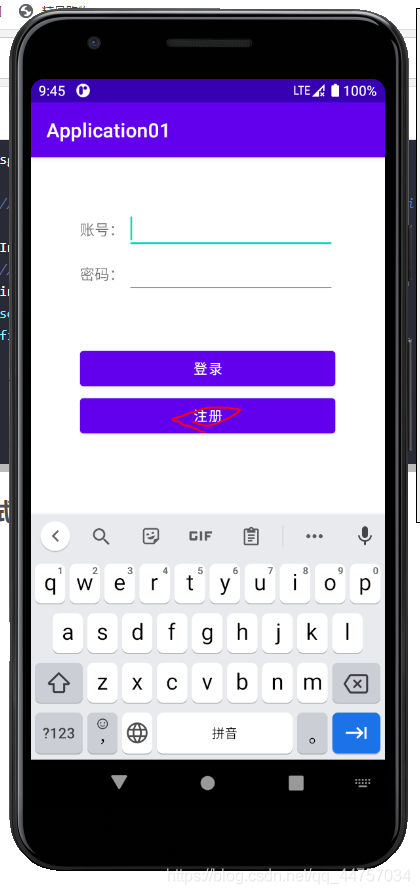
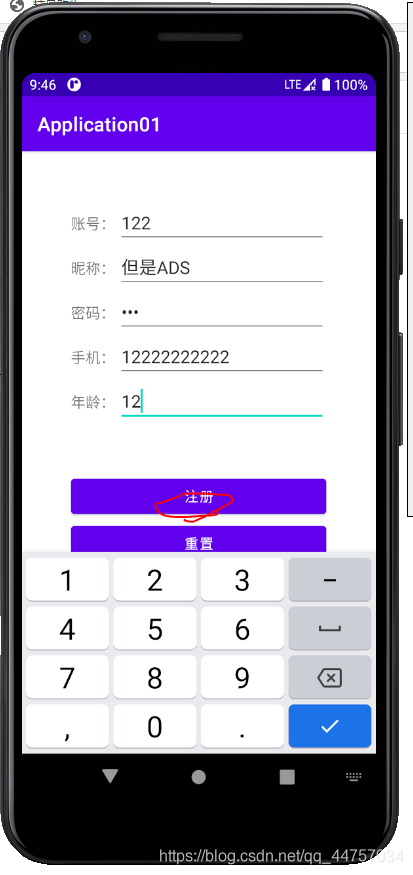
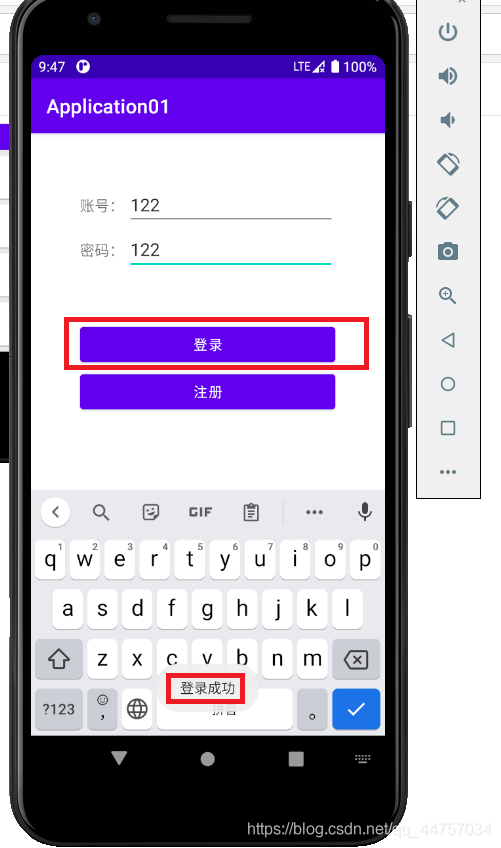
到此這篇關(guān)于Android Studio連接MySql實現(xiàn)登錄注冊(附源代碼) 的文章就介紹到這了,更多相關(guān)Android Studio 登錄注冊內(nèi)容請搜索好吧啦網(wǎng)以前的文章或繼續(xù)瀏覽下面的相關(guān)文章希望大家以后多多支持好吧啦網(wǎng)!
相關(guān)文章:
1. asp.net core服務(wù)限制堆內(nèi)存大小的操作方法2. 解決Django響應(yīng)JsonResponse返回json格式數(shù)據(jù)報錯問題3. Python爬取12306車次信息代碼詳解4. python 制作python包,封裝成可用模塊教程5. python怎么運行代碼6. Python文字截圖識別OCR工具實例解析7. 解決python腳本中error: unrecognized arguments: True錯誤8. Python使用paramiko連接遠程服務(wù)器執(zhí)行Shell命令的實現(xiàn)9. Python 實現(xiàn)將某一列設(shè)置為str類型10. 通過vue如何設(shè)置header
 網(wǎng)公網(wǎng)安備