Springboot文件上傳功能簡單測試
在static文件夾中創html頁面
內容為:
<html><head></head><body><form action='/fileuploadContorller' method='post' enctype='multipart/form-data'> <input type='file' name='file'/> <input type='submit' value='提交'></form></body></html>
創建控制器
package com.mc_74120.springbootfileupload.controller;import org.springframework.web.bind.annotation.PostMapping;import org.springframework.web.bind.annotation.RequestMapping;import org.springframework.web.bind.annotation.RestController;import org.springframework.web.multipart.MultipartFile;import java.io.File;import java.io.IOException;@RestControllerpublic class FileUpLoadController { @PostMapping('/fileuploadContorller') public String fileUpLoadController(MultipartFile file) throws IOException {//MultipartFile對象的名稱必須和html中的文件上傳標簽的名字相同 System.out.println(file.getOriginalFilename()); file.transferTo(new File('d:/'+file.getOriginalFilename())); return 'ok'; }}
選擇文件
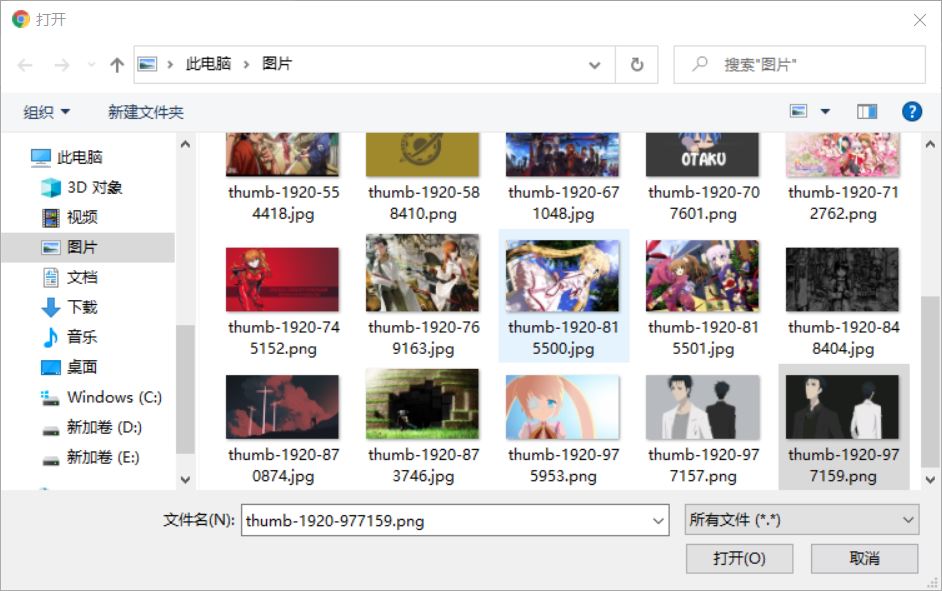
發送
找到該圖片

在application配置文件中 可以配置 文件的大小和request請求的大小
#配置單個文件的大小spring.servlet.multipart.max-file-size=5MB#配置一次請求總容量大小spring.servlet.multipart.max-request-size=10MB
以上就是本文的全部內容,希望對大家的學習有所幫助,也希望大家多多支持好吧啦網。
相關文章:
1. Django中如何使用Channels功能2. idea設置自動導入依賴的方法步驟3. IDEA下因Lombok插件產生的Library source does not match the bytecode報錯問題及解決方法(親測可用)4. XML在語音合成中的應用5. 使用 kind 和 Docker 啟動本地的 Kubernetes環境6. docker容器調用yum報錯的解決辦法7. IntelliJ IDEA導出項目的方法8. python的json包位置及用法總結9. asp.net core服務限制堆內存大小的操作方法10. 關于html嵌入xml數據島如何穿過樹形結構關系的問題

 網公網安備
網公網安備