python實現飛船大戰
本文實例為大家分享了python實現飛船大戰的具體代碼,供大家參考,具體內容如下
上篇博文我們一起實現了貪吃蛇與坦克大戰
200行python代碼實現貪吃蛇游戲
效果圖
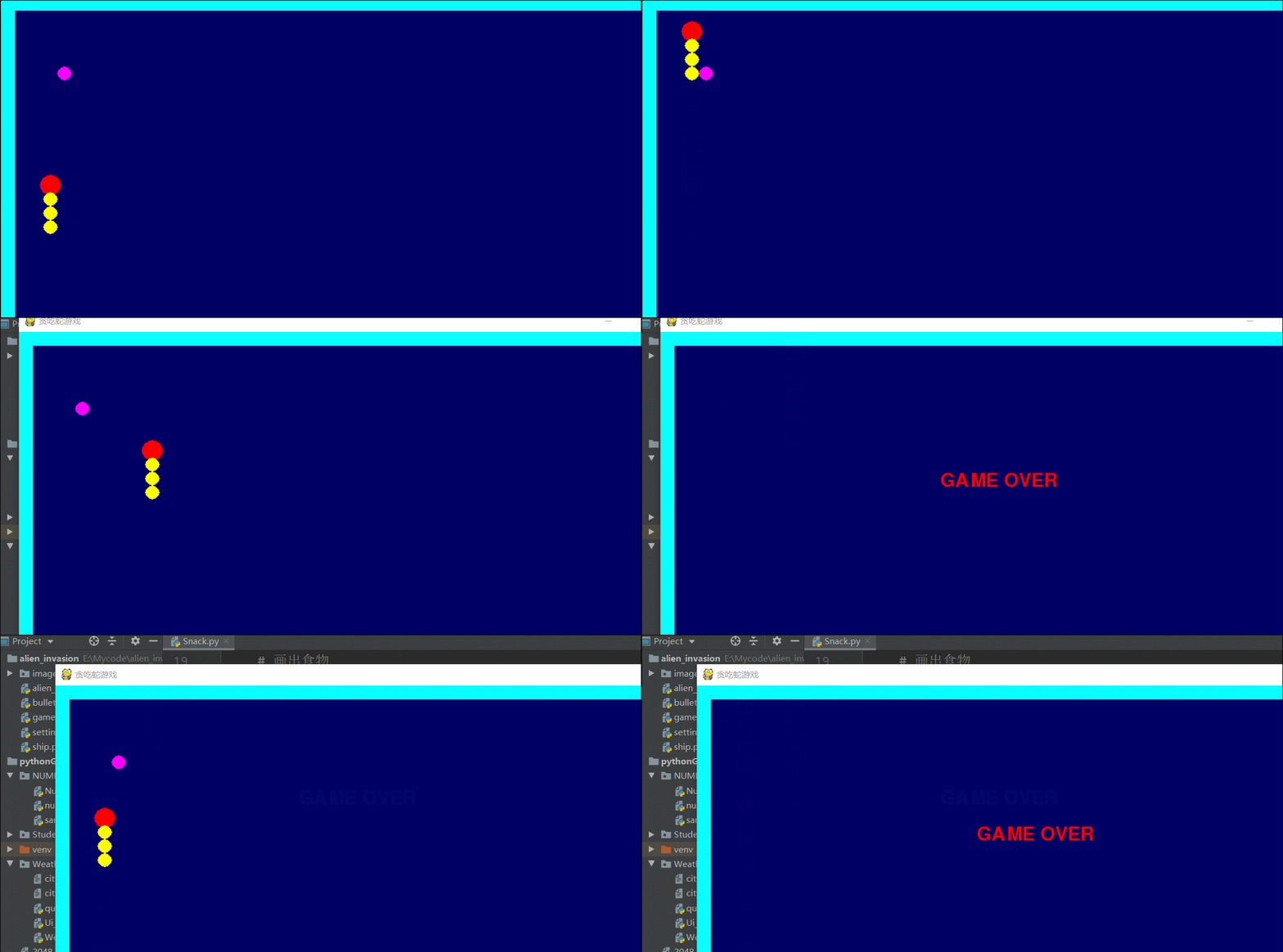
按住上下左右鍵可以讓貪吃蛇運動
python制作坦克大戰
效果圖
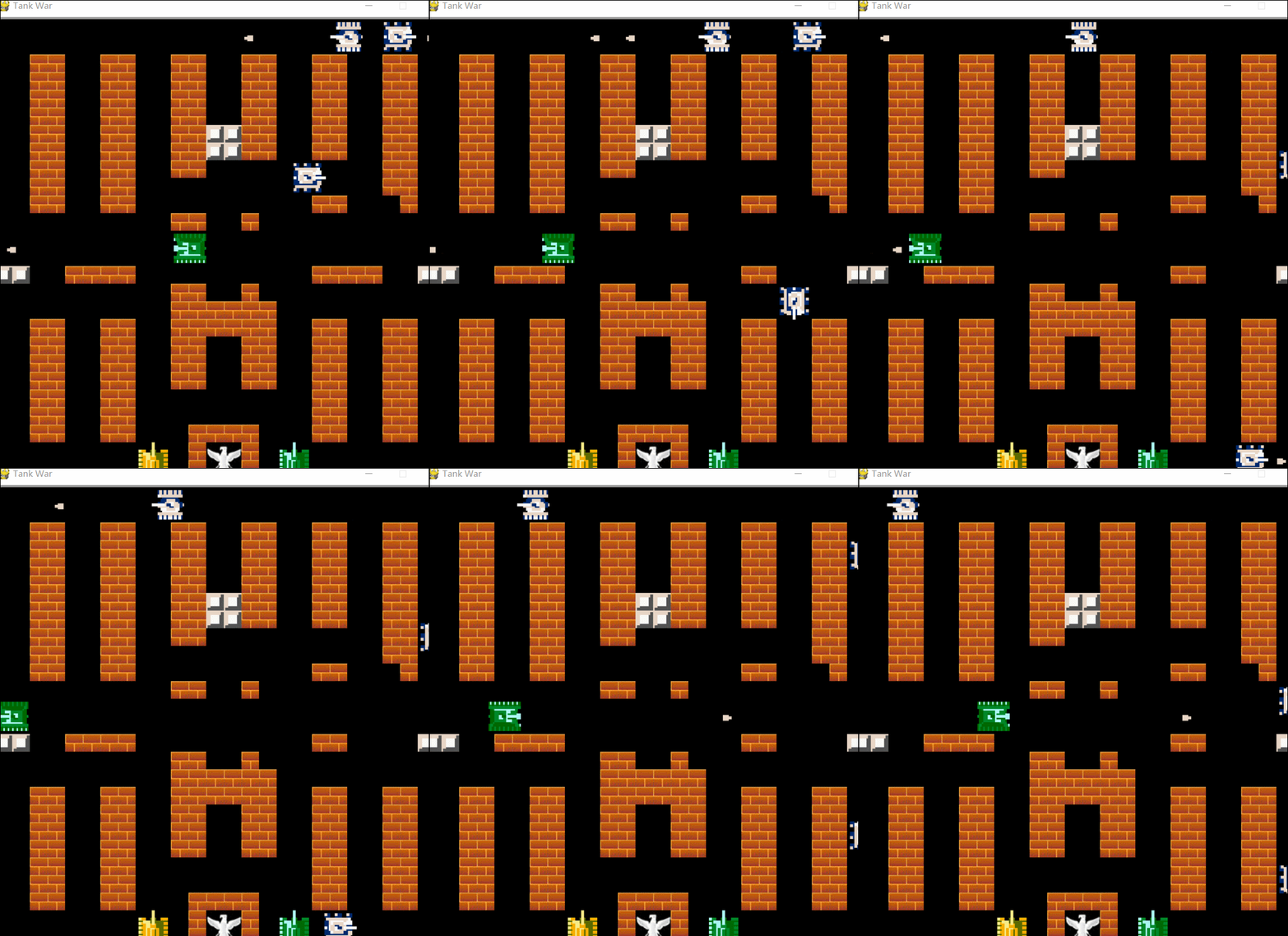
可以按住上下左右方向鍵以及WSAD讓坦克運動按0和j可以發射子彈。具體代碼與圖片音源文件可以從我的GitHub地址獲取,歡迎star
接下來我們來實現一個飛船大戰的游戲
創建飛船類
import pygamefrom pygame.sprite import Spriteclass Ship(Sprite): def __init__(self, ai_settings, screen): '''Initialize the ship, and set its starting position.''' super(Ship, self).__init__() self.screen = screen self.ai_settings = ai_settings # Load the ship image, and get its rect. self.image = pygame.image.load(’images/ship.bmp’) self.rect = self.image.get_rect() self.screen_rect = screen.get_rect() # Start each new ship at the bottom center of the screen. self.rect.centerx = self.screen_rect.centerx self.rect.bottom = self.screen_rect.bottom# Store a decimal value for the ship’s center. self.center = float(self.rect.centerx)# Movement flags. self.moving_right = False self.moving_left = False def center_ship(self): '''Center the ship on the screen.''' self.center = self.screen_rect.centerx def update(self): '''Update the ship’s position, based on movement flags.''' # Update the ship’s center value, not the rect. if self.moving_right and self.rect.right < self.screen_rect.right: self.center += self.ai_settings.ship_speed_factor if self.moving_left and self.rect.left > 0: self.center -= self.ai_settings.ship_speed_factor # Update rect object from self.center. self.rect.centerx = self.center def blitme(self): '''Draw the ship at its current location.''' self.screen.blit(self.image, self.rect)
創建設置類
class Settings(): '''A class to store all settings for Alien Invasion.''' def __init__(self): '''Initialize the game’s static settings.''' # Screen settings. self.screen_width = 1200 self.screen_height = 800 self.bg_color = (230, 230, 230)# Ship settings. self.ship_limit = 3 # Bullet settings. self.bullet_width = 3 self.bullet_height = 15 self.bullet_color = 60, 60, 60 self.bullets_allowed = 3# Alien settings. self.fleet_drop_speed = 10 # How quickly the game speeds up. self.speedup_scale = 1.1 # How quickly the alien point values increase. self.score_scale = 1.5 self.initialize_dynamic_settings() def initialize_dynamic_settings(self): '''Initialize settings that change throughout the game.''' self.ship_speed_factor = 1.5 self.bullet_speed_factor = 3 self.alien_speed_factor = 1# Scoring. self.alien_points = 50 # fleet_direction of 1 represents right, -1 represents left. self.fleet_direction = 1 def increase_speed(self): '''Increase speed settings and alien point values.''' self.ship_speed_factor *= self.speedup_scale self.bullet_speed_factor *= self.speedup_scale self.alien_speed_factor *= self.speedup_scaleself.alien_points = int(self.alien_points * self.score_scale)
創建子彈類
import pygamefrom pygame.sprite import Spriteclass Bullet(Sprite): '''A class to manage bullets fired from the ship.''' def __init__(self, ai_settings, screen, ship): '''Create a bullet object, at the ship’s current position.''' super(Bullet, self).__init__() self.screen = screen # Create bullet rect at (0, 0), then set correct position. self.rect = pygame.Rect(0, 0, ai_settings.bullet_width, ai_settings.bullet_height) self.rect.centerx = ship.rect.centerx self.rect.top = ship.rect.top# Store a decimal value for the bullet’s position. self.y = float(self.rect.y) self.color = ai_settings.bullet_color self.speed_factor = ai_settings.bullet_speed_factor def update(self): '''Move the bullet up the screen.''' # Update the decimal position of the bullet. self.y -= self.speed_factor # Update the rect position. self.rect.y = self.y def draw_bullet(self): '''Draw the bullet to the screen.''' pygame.draw.rect(self.screen, self.color, self.rect)
創建游戲功能類
import sysfrom time import sleepimport pygamefrom bullet import Bulletfrom alien import Aliendef check_keydown_events(event, ai_settings, screen, ship, bullets): '''Respond to keypresses.''' if event.key == pygame.K_RIGHT: ship.moving_right = True elif event.key == pygame.K_LEFT: ship.moving_left = True elif event.key == pygame.K_SPACE: fire_bullet(ai_settings, screen, ship, bullets) elif event.key == pygame.K_q: sys.exit() def check_keyup_events(event, ship): '''Respond to key releases.''' if event.key == pygame.K_RIGHT: ship.moving_right = False elif event.key == pygame.K_LEFT: ship.moving_left = Falsedef check_events(ai_settings, screen, stats, sb, play_button, ship, aliens, bullets): '''Respond to keypresses and mouse events.''' for event in pygame.event.get(): if event.type == pygame.QUIT: sys.exit() elif event.type == pygame.KEYDOWN: check_keydown_events(event, ai_settings, screen, ship, bullets) elif event.type == pygame.KEYUP: check_keyup_events(event, ship) elif event.type == pygame.MOUSEBUTTONDOWN: mouse_x, mouse_y = pygame.mouse.get_pos() check_play_button(ai_settings, screen, stats, sb, play_button,ship, aliens, bullets, mouse_x, mouse_y) def check_play_button(ai_settings, screen, stats, sb, play_button, ship, aliens, bullets, mouse_x, mouse_y): '''Start a new game when the player clicks Play.''' button_clicked = play_button.rect.collidepoint(mouse_x, mouse_y) if button_clicked and not stats.game_active: # Reset the game settings. ai_settings.initialize_dynamic_settings()# Hide the mouse cursor. pygame.mouse.set_visible(False)# Reset the game statistics. stats.reset_stats() stats.game_active = True# Reset the scoreboard images. sb.prep_score() sb.prep_high_score() sb.prep_level() sb.prep_ships()# Empty the list of aliens and bullets. aliens.empty() bullets.empty()# Create a new fleet and center the ship. create_fleet(ai_settings, screen, ship, aliens) ship.center_ship()def fire_bullet(ai_settings, screen, ship, bullets): '''Fire a bullet, if limit not reached yet.''' # Create a new bullet, add to bullets group. if len(bullets) < ai_settings.bullets_allowed: new_bullet = Bullet(ai_settings, screen, ship) bullets.add(new_bullet)def update_screen(ai_settings, screen, stats, sb, ship, aliens, bullets, play_button): '''Update images on the screen, and flip to the new screen.''' # Redraw the screen, each pass through the loop. screen.fill(ai_settings.bg_color) # Redraw all bullets, behind ship and aliens. for bullet in bullets.sprites(): bullet.draw_bullet() ship.blitme() aliens.draw(screen) # Draw the score information. sb.show_score() # Draw the play button if the game is inactive. if not stats.game_active: play_button.draw_button() # Make the most recently drawn screen visible. pygame.display.flip() def update_bullets(ai_settings, screen, stats, sb, ship, aliens, bullets): '''Update position of bullets, and get rid of old bullets.''' # Update bullet positions. bullets.update() # Get rid of bullets that have disappeared. for bullet in bullets.copy(): if bullet.rect.bottom <= 0: bullets.remove(bullet)check_bullet_alien_collisions(ai_settings, screen, stats, sb, ship, aliens, bullets) def check_high_score(stats, sb): '''Check to see if there’s a new high score.''' if stats.score > stats.high_score: stats.high_score = stats.score sb.prep_high_score() def check_bullet_alien_collisions(ai_settings, screen, stats, sb, ship, aliens, bullets): '''Respond to bullet-alien collisions.''' # Remove any bullets and aliens that have collided. collisions = pygame.sprite.groupcollide(bullets, aliens, True, True) if collisions: for aliens in collisions.values(): stats.score += ai_settings.alien_points * len(aliens) sb.prep_score() check_high_score(stats, sb) if len(aliens) == 0: # If the entire fleet is destroyed, start a new level. bullets.empty() ai_settings.increase_speed()# Increase level. stats.level += 1 sb.prep_level()create_fleet(ai_settings, screen, ship, aliens) def check_fleet_edges(ai_settings, aliens): '''Respond appropriately if any aliens have reached an edge.''' for alien in aliens.sprites(): if alien.check_edges(): change_fleet_direction(ai_settings, aliens) break def change_fleet_direction(ai_settings, aliens): '''Drop the entire fleet, and change the fleet’s direction.''' for alien in aliens.sprites(): alien.rect.y += ai_settings.fleet_drop_speed ai_settings.fleet_direction *= -1 def ship_hit(ai_settings, screen, stats, sb, ship, aliens, bullets): '''Respond to ship being hit by alien.''' if stats.ships_left > 0: # Decrement ships_left. stats.ships_left -= 1# Update scoreboard. sb.prep_ships() else: stats.game_active = False pygame.mouse.set_visible(True) # Empty the list of aliens and bullets. aliens.empty() bullets.empty() # Create a new fleet, and center the ship. create_fleet(ai_settings, screen, ship, aliens) ship.center_ship() # Pause. sleep(0.5) def check_aliens_bottom(ai_settings, screen, stats, sb, ship, aliens, bullets): '''Check if any aliens have reached the bottom of the screen.''' screen_rect = screen.get_rect() for alien in aliens.sprites(): if alien.rect.bottom >= screen_rect.bottom: # Treat this the same as if the ship got hit. ship_hit(ai_settings, screen, stats, sb, ship, aliens, bullets) break def update_aliens(ai_settings, screen, stats, sb, ship, aliens, bullets): ''' Check if the fleet is at an edge, then update the postions of all aliens in the fleet. ''' check_fleet_edges(ai_settings, aliens) aliens.update() # Look for alien-ship collisions. if pygame.sprite.spritecollideany(ship, aliens): ship_hit(ai_settings, screen, stats, sb, ship, aliens, bullets) # Look for aliens hitting the bottom of the screen. check_aliens_bottom(ai_settings, screen, stats, sb, ship, aliens, bullets) def get_number_aliens_x(ai_settings, alien_width): '''Determine the number of aliens that fit in a row.''' available_space_x = ai_settings.screen_width - 2 * alien_width number_aliens_x = int(available_space_x / (2 * alien_width)) return number_aliens_x def get_number_rows(ai_settings, ship_height, alien_height): '''Determine the number of rows of aliens that fit on the screen.''' available_space_y = (ai_settings.screen_height - (3 * alien_height) - ship_height) number_rows = int(available_space_y / (2 * alien_height)) return number_rows def create_alien(ai_settings, screen, aliens, alien_number, row_number): '''Create an alien, and place it in the row.''' alien = Alien(ai_settings, screen) alien_width = alien.rect.width alien.x = alien_width + 2 * alien_width * alien_number alien.rect.x = alien.x alien.rect.y = alien.rect.height + 2 * alien.rect.height * row_number aliens.add(alien)def create_fleet(ai_settings, screen, ship, aliens): '''Create a full fleet of aliens.''' # Create an alien, and find number of aliens in a row. alien = Alien(ai_settings, screen) number_aliens_x = get_number_aliens_x(ai_settings, alien.rect.width) number_rows = get_number_rows(ai_settings, ship.rect.height, alien.rect.height) # Create the fleet of aliens. for row_number in range(number_rows): for alien_number in range(number_aliens_x): create_alien(ai_settings, screen, aliens, alien_number,row_number)
主函數
import pygamefrom pygame.sprite import Groupfrom settings import Settingsfrom game_stats import GameStatsfrom scoreboard import Scoreboardfrom button import Buttonfrom ship import Shipimport game_functions as gfdef run_game(): # Initialize pygame, settings, and screen object. pygame.init() ai_settings = Settings() screen = pygame.display.set_mode( (ai_settings.screen_width, ai_settings.screen_height)) pygame.display.set_caption('Alien Invasion') # Make the Play button. play_button = Button(ai_settings, screen, 'Play') # Create an instance to store game statistics, and a scoreboard. stats = GameStats(ai_settings) sb = Scoreboard(ai_settings, screen, stats) # Set the background color. bg_color = (230, 230, 230) # Make a ship, a group of bullets, and a group of aliens. ship = Ship(ai_settings, screen) bullets = Group() aliens = Group() # Create the fleet of aliens. gf.create_fleet(ai_settings, screen, ship, aliens) # Start the main loop for the game. while True: gf.check_events(ai_settings, screen, stats, sb, play_button, ship, aliens, bullets)if stats.game_active: ship.update() gf.update_bullets(ai_settings, screen, stats, sb, ship, aliens,bullets) gf.update_aliens(ai_settings, screen, stats, sb, ship, aliens,bullets)gf.update_screen(ai_settings, screen, stats, sb, ship, aliens, bullets, play_button)run_game()
創建外星人類
import pygamefrom pygame.sprite import Spriteclass Alien(Sprite): '''A class to represent a single alien in the fleet.''' def __init__(self, ai_settings, screen): '''Initialize the alien, and set its starting position.''' super(Alien, self).__init__() self.screen = screen self.ai_settings = ai_settings # Load the alien image, and set its rect attribute. self.image = pygame.image.load(’images/alien.bmp’) self.rect = self.image.get_rect() # Start each new alien near the top left of the screen. self.rect.x = self.rect.width self.rect.y = self.rect.height # Store the alien’s exact position. self.x = float(self.rect.x) def check_edges(self): '''Return True if alien is at edge of screen.''' screen_rect = self.screen.get_rect() if self.rect.right >= screen_rect.right: return True elif self.rect.left <= 0: return True def update(self): '''Move the alien right or left.''' self.x += (self.ai_settings.alien_speed_factor * self.ai_settings.fleet_direction) self.rect.x = self.x def blitme(self): '''Draw the alien at its current location.''' self.screen.blit(self.image, self.rect)
創建游戲開始按鈕
import pygame.fontclass Button(): def __init__(self, ai_settings, screen, msg): '''Initialize button attributes.''' self.screen = screen self.screen_rect = screen.get_rect()# Set the dimensions and properties of the button. self.width, self.height = 200, 50 self.button_color = (0, 255, 0) self.text_color = (255, 255, 255) self.font = pygame.font.SysFont(None, 48)# Build the button’s rect object, and center it. self.rect = pygame.Rect(0, 0, self.width, self.height) self.rect.center = self.screen_rect.center# The button message only needs to be prepped once. self.prep_msg(msg) def prep_msg(self, msg): '''Turn msg into a rendered image, and center text on the button.''' self.msg_image = self.font.render(msg, True, self.text_color, self.button_color) self.msg_image_rect = self.msg_image.get_rect() self.msg_image_rect.center = self.rect.center def draw_button(self): # Draw blank button, then draw message. self.screen.fill(self.button_color, self.rect) self.screen.blit(self.msg_image, self.msg_image_rect)
創建游戲狀態類
class GameStats(): '''Track statistics for Alien Invasion.''' def __init__(self, ai_settings): '''Initialize statistics.''' self.ai_settings = ai_settings self.reset_stats()# Start game in an inactive state. self.game_active = False# High score should never be reset. self.high_score = 0 def reset_stats(self): '''Initialize statistics that can change during the game.''' self.ships_left = self.ai_settings.ship_limit self.score = 0 self.level = 1
創建計分板
import pygame.fontfrom pygame.sprite import Groupfrom ship import Shipclass Scoreboard(): '''A class to report scoring information.''' def __init__(self, ai_settings, screen, stats): '''Initialize scorekeeping attributes.''' self.screen = screen self.screen_rect = screen.get_rect() self.ai_settings = ai_settings self.stats = stats# Font settings for scoring information. self.text_color = (30, 30, 30) self.font = pygame.font.SysFont(None, 48) # Prepare the initial score images. self.prep_score() self.prep_high_score() self.prep_level() self.prep_ships() def prep_score(self): '''Turn the score into a rendered image.''' rounded_score = int(round(self.stats.score, -1)) score_str = '{:,}'.format(rounded_score) self.score_image = self.font.render(score_str, True, self.text_color, self.ai_settings.bg_color) # Display the score at the top right of the screen. self.score_rect = self.score_image.get_rect() self.score_rect.right = self.screen_rect.right - 20 self.score_rect.top = 20 def prep_high_score(self): '''Turn the high score into a rendered image.''' high_score = int(round(self.stats.high_score, -1)) high_score_str = '{:,}'.format(high_score) self.high_score_image = self.font.render(high_score_str, True, self.text_color, self.ai_settings.bg_color) # Center the high score at the top of the screen. self.high_score_rect = self.high_score_image.get_rect() self.high_score_rect.centerx = self.screen_rect.centerx self.high_score_rect.top = self.score_rect.top def prep_level(self): '''Turn the level into a rendered image.''' self.level_image = self.font.render(str(self.stats.level), True,self.text_color, self.ai_settings.bg_color)# Position the level below the score. self.level_rect = self.level_image.get_rect() self.level_rect.right = self.score_rect.right self.level_rect.top = self.score_rect.bottom + 10 def prep_ships(self): '''Show how many ships are left.''' self.ships = Group() for ship_number in range(self.stats.ships_left): ship = Ship(self.ai_settings, self.screen) ship.rect.x = 10 + ship_number * ship.rect.width ship.rect.y = 10 self.ships.add(ship) def show_score(self): '''Draw score to the screen.''' self.screen.blit(self.score_image, self.score_rect) self.screen.blit(self.high_score_image, self.high_score_rect) self.screen.blit(self.level_image, self.level_rect) # Draw ships. self.ships.draw(self.screen)
程序運行效果如下
點擊play
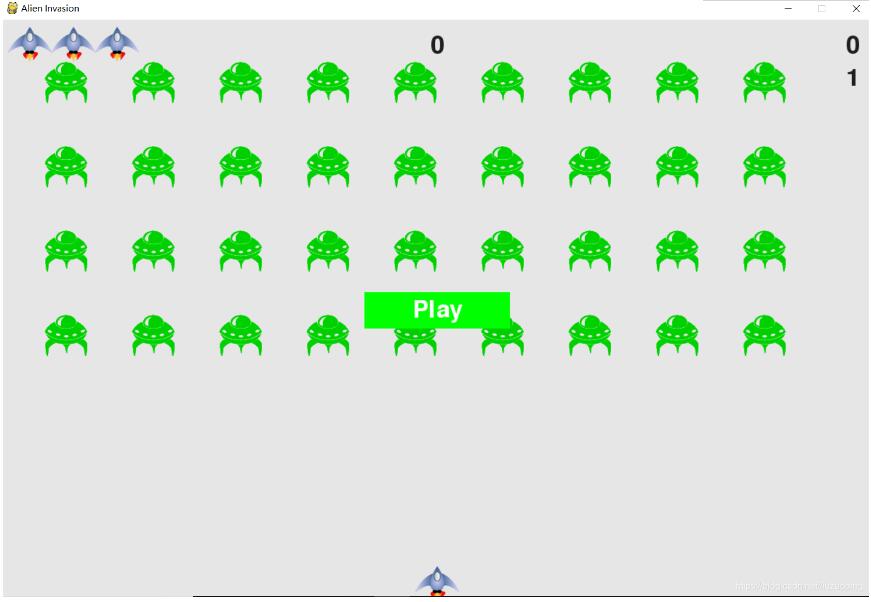

按住方向鍵可以移動飛船按住空格鍵可以發射子彈
更多有趣的經典小游戲實現專題,分享給大家:
C++經典小游戲匯總
python經典小游戲匯總
python俄羅斯方塊游戲集合
JavaScript經典游戲 玩不停
java經典小游戲匯總
javascript經典小游戲匯總
以上就是本文的全部內容,希望對大家的學習有所幫助,也希望大家多多支持好吧啦網。
相關文章:
 網公網安備
網公網安備